Create Sub Folder
You can create sub folders within a folder in PE Front Office.
To create a custom sub folder:
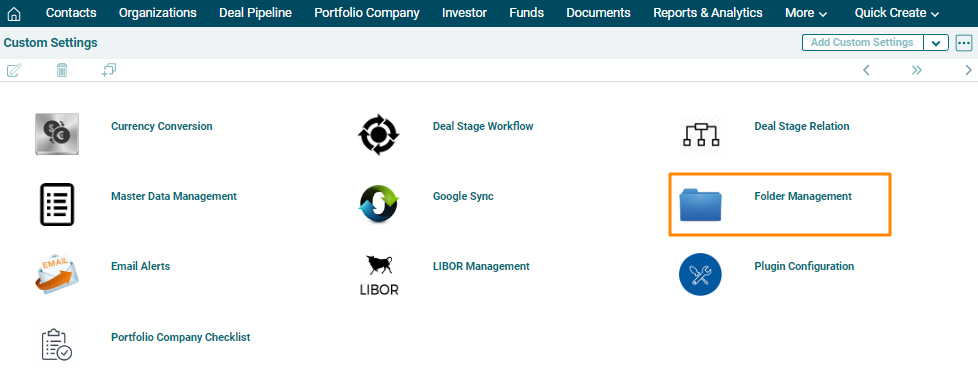
1. In Custom Settings, click on Folder Management.
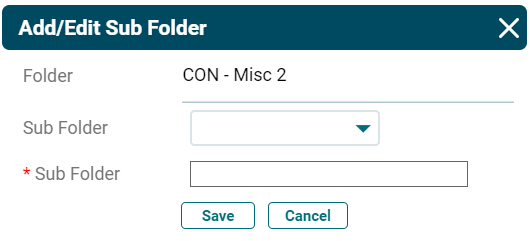
1. The list of folders will be displayed. Click on Add ( ) icon in the Sub-Folder column against the folder you wish to a sub folder to. The Add/Edit Sub Folder window is displayed. Enter the following details.
- Folder Name: This is an auto-populated field.
- Sub Folder: Choose a sub folder name if you wish to create a sub folder within an existing sub folder. System doesn’t allow adding a duplicate folder or sub folder with same name.
- Sub Folder Name: Specify the sub folder name. Special characters are not allowed in sub folder name.
2. Click Save.
To edit a sub folder, click on the Edit icon (.png) ) in the Sub Folder column. Update the details and click Save.
) in the Sub Folder column. Update the details and click Save.
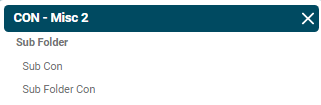
To view sub folder in a folder, click on the View icon ( ) in the Sub Folder column. The [Folder Name] window is displayed with sub folders’ name.