• HELP CENTER

  • Getting Started
  • CRM
  • Deal Pipeline
  • Portfolio Company
  • Investee Company Portal
  • Investors
  • Investor Portal
  • Funds
  • Investee Fund Portal
  • Reports and Analytics
  • Deal Data Room
  • Help Desk
  • Document Management
  • Excel Add-in Integration
  • Email Integration
  • Implementation
  • Custom Settings
  • System Administration

CRM

  • Contact Setup
    • Quickly Create a Contact
    • Create/Edit a Contact
      • Create a Contact
      • Edit a Contact
      • Delete a Contact
      • Duplicate a Contact
    • Import from Excel
    • Export to Excel
  • Contact Summary
    • Summary Panels
    • Comments
  • Tasks
    • To Do
    • Event
    • Activity History
  • Help Desk
  • Email
  • Documents
    • Add a Document
    • Add Existing Document
    • Edit/Delete a Document
    • Download a Document
  • Organization Setup
    • Quickly Create an Organization
    • Create/Edit an Organization
      • Create an Organization Manually
      • Edit an Organization
      • Delete an Organization
      • Duplicate an Organization
    • Import from Excel
    • Export to Excel
  • Organization Summary
    • Summary Panels
    • Comments
  • Tasks
    • Task
    • Event
  • Help Desk
  • Email
  • Documents
    • Add a Document
    • Add Existing Document
    • Edit/Delete a Document
    • Download a Document
  • Google/One Drive Integration
Help Center /

Comments Information

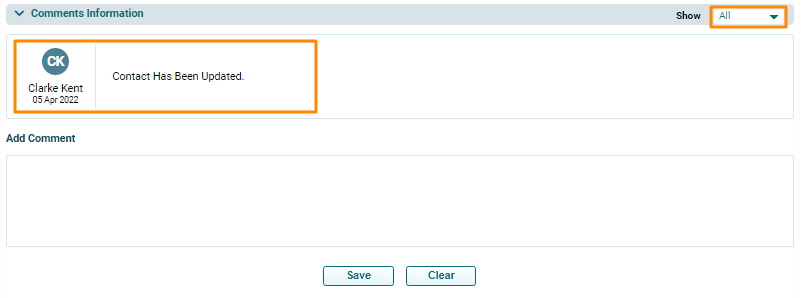
This panel allows you to capture any contact-related comments which can be viewed by all team members at any given time.
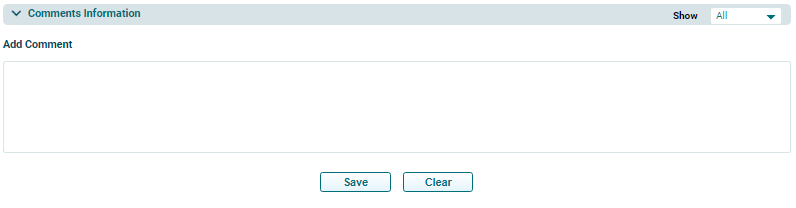

Once you have added a comment, it cannot be deleted. It is always displayed in the Comments section. You can also apply the Show filter to see relevant comments.