
Kanban View
Kanban View is the default view for Deal Pipeline. In this view, all the deals are visible across various deal stages. Each deal is represented by a card under a deal stage.
The top horizontal bar displays various deal stages along with the number of deals that are currently at that stage and their total deal size. The deals at a particular stage are listed below each stage.

Every deal card displays the following information about the deal:
- Deal Name
- Investee Company Name
- Deal Leader Name
- Deal Currency
- Deal Size
To perform various operations on kanban view, follow the steps below:
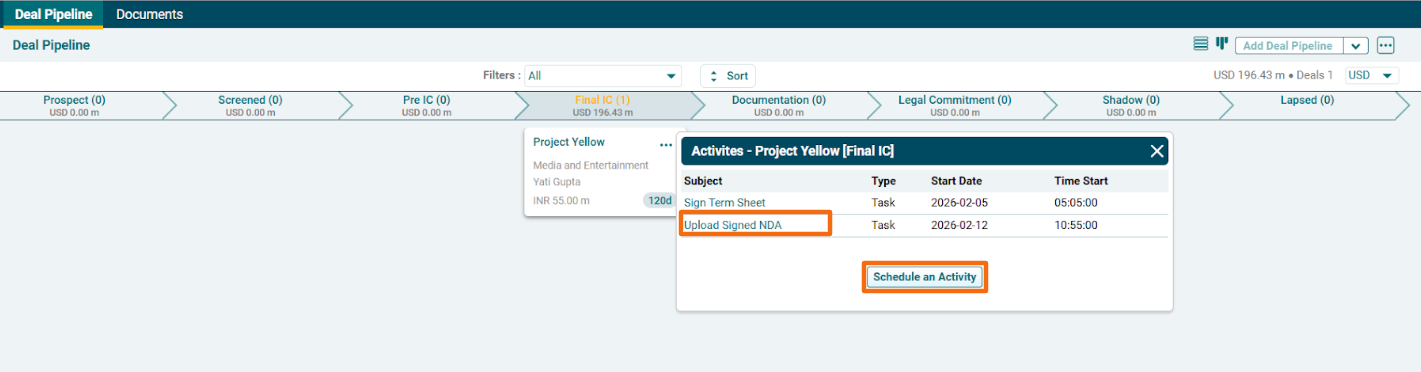
1. Click on Activities to view any activities created for a deal pipeline, i.e., an incomplete task or an upcoming event. The Activities window is displayed. Click on Schedule an Activity button to create an event or task.
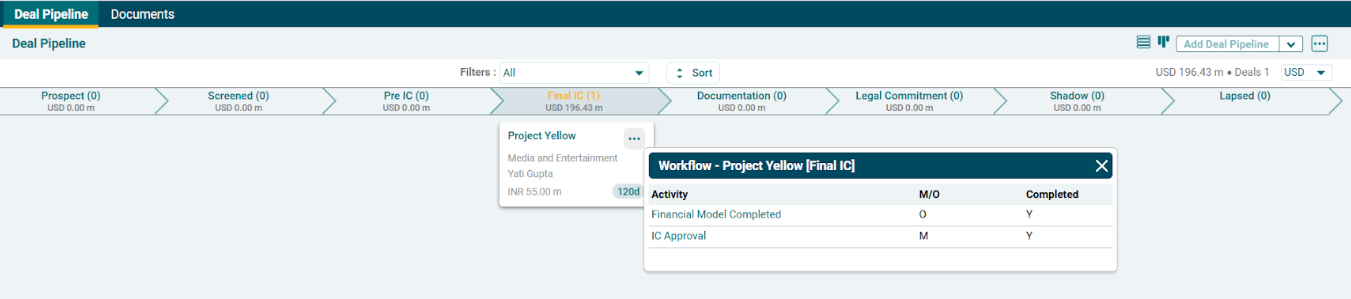
2. Click on Workflow to see the workflow related to a deal pipeline.
3. To view Kanban view from List View window of Deal Pipeline, click on the Kanban View icon in the top right corner.
