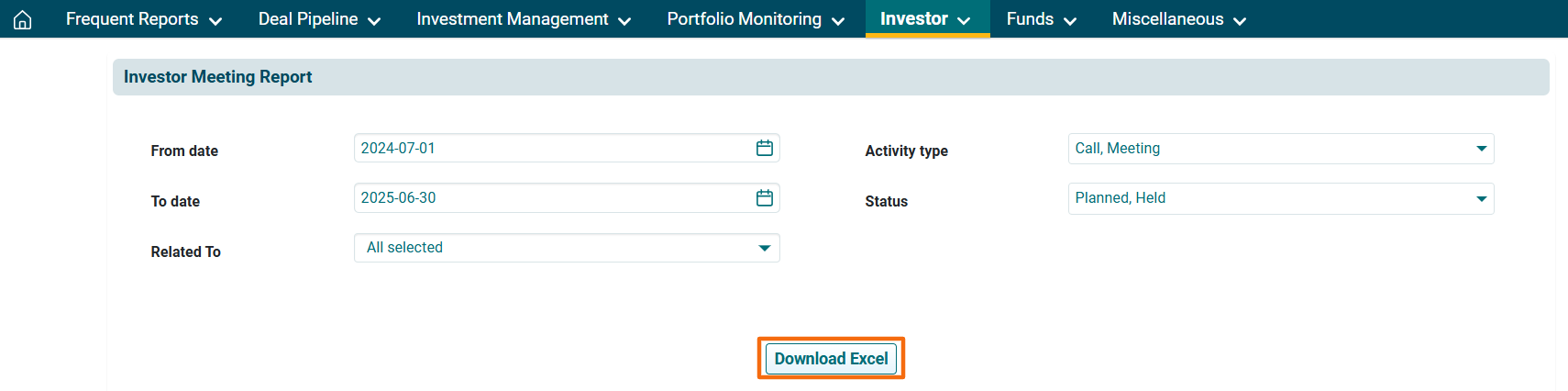
Investor Meeting Report
This report contains details about the meeting that have been held and are scheduled to happen related to a Investor.
To download the report, follow the below steps-
1. Click on Reports & Analytics in the main menu.

2. You can access the report from the dashboard by clicking Investor Meeting Report in the Investor panel or from the Investor drop-down menu in the blue vertical bar.
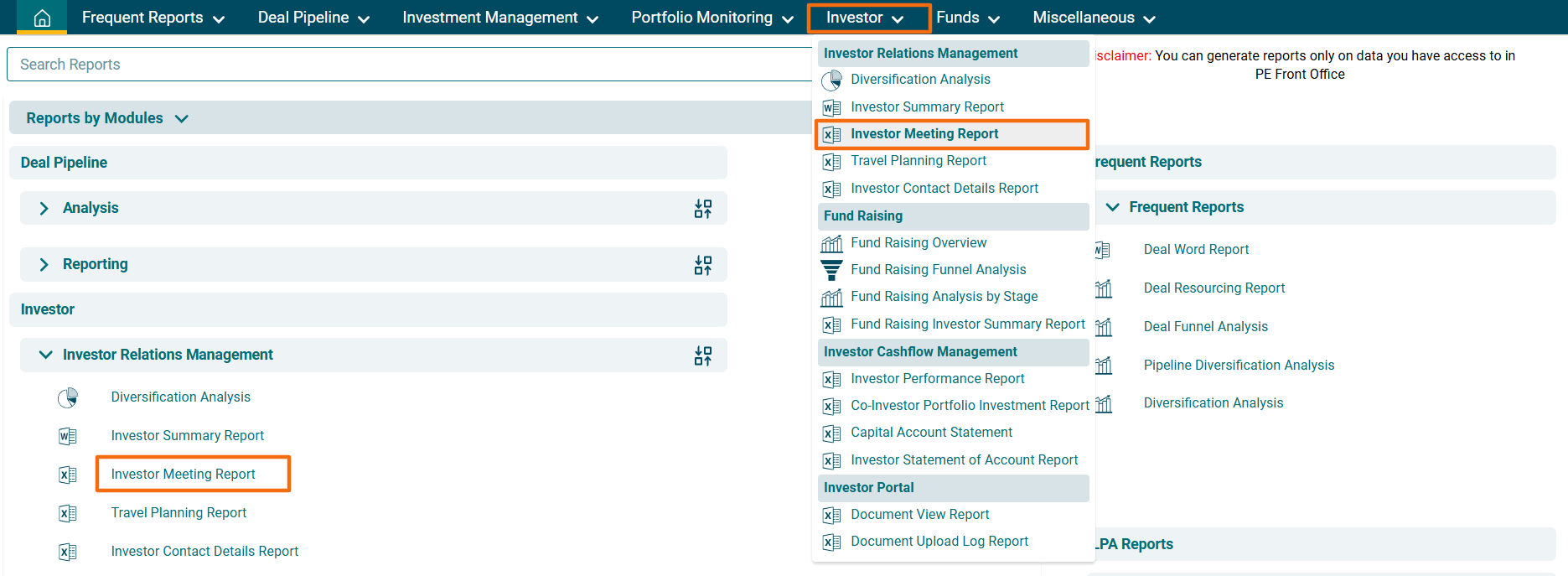
3. The Investor Meeting Report window is displayed. Enter the following details:
- From Date: The start date for the period for which you wish to see the meeting report.
- To Date: The end date for the period for which you wish to see the meeting report.
- Activity Type: Displays the activity type, i.e., Call, Meeting, or To Do.
- Status: Displays the status of the event, i.e., Planned, Held, or Completed.
- Related To: Displays the meeting relate to Funds, Investor, Portfolio Company, Deal Pipeline, or Organizations.
4. Click on Download Excel button. The excel file will download.