To view and download Portfolio Financials report, follow the below steps:
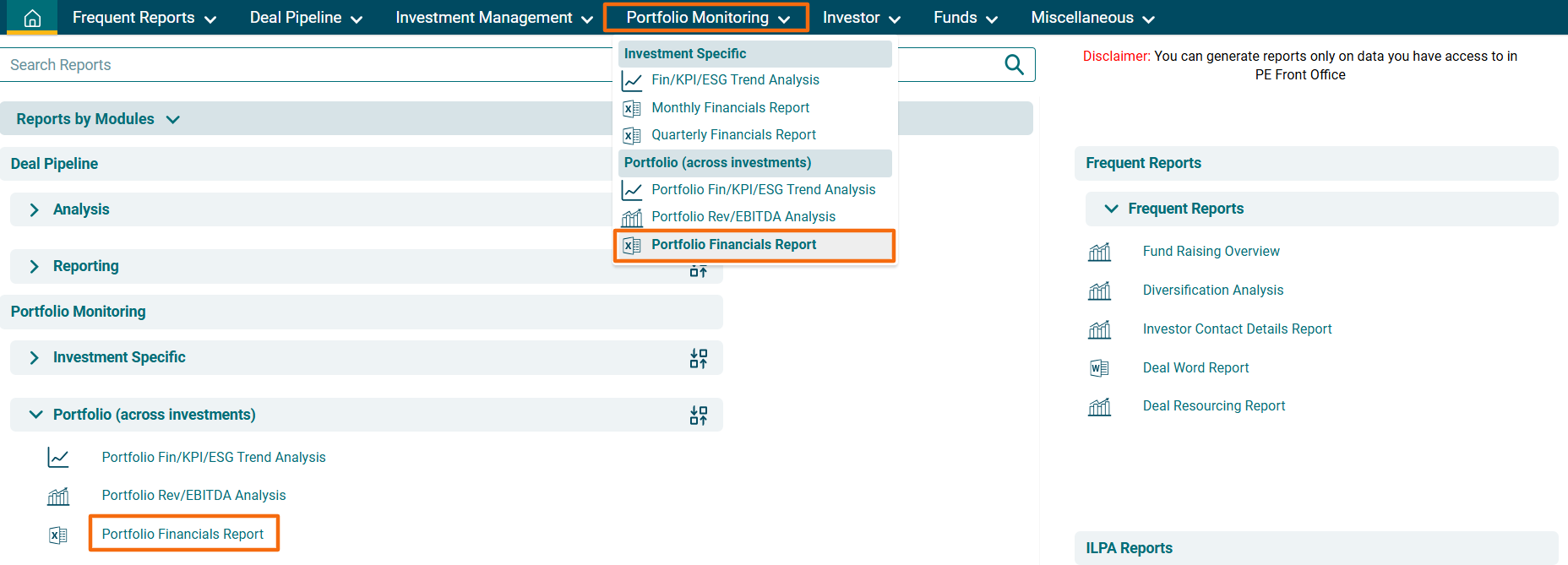
1. Click on Reports and Analytics in the main menu.

2. You can access the report from the dashboard by clicking Portfolio Financials Report in the Portfolio Monitoring panel or from the Portfolio Monitoring drop-down menu in the blue vertical bar.
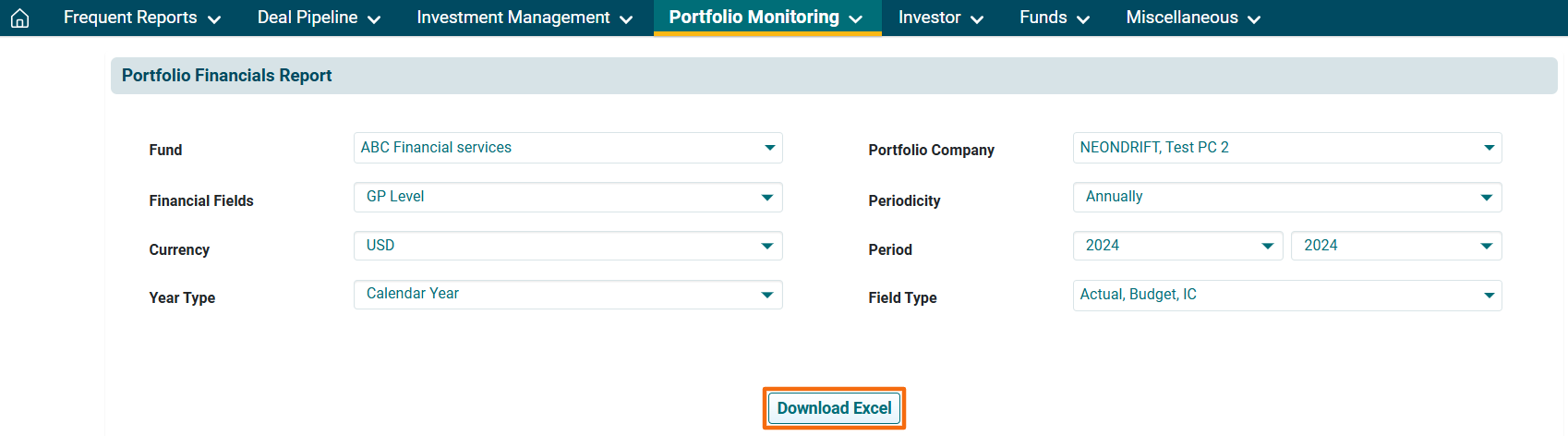
3. The Portfolio Financials Report window is displayed. Enter the following details:
- Fund: To specify the fund you wish to see the financials for.
- Portfolio Company: To specify the Portfolio Company name.
- Currency: To specify the currency.
- Year Type: To specify the year type, i.e., Calendar Year or Financial Year.
- Financial Field: To specify the financial fields, i.e. GP Level, Portfolio Level, Sector Level, or all.
- Periodicity: To specify the periodicity based on which you wish to see the report.
- Period: To specify the period for which you wish to see the report.
- Field Type: To specify the field type, i.e. Actual, Budget, IC, or all.
4. Click on Download Excel. The excel file will download.