
Events
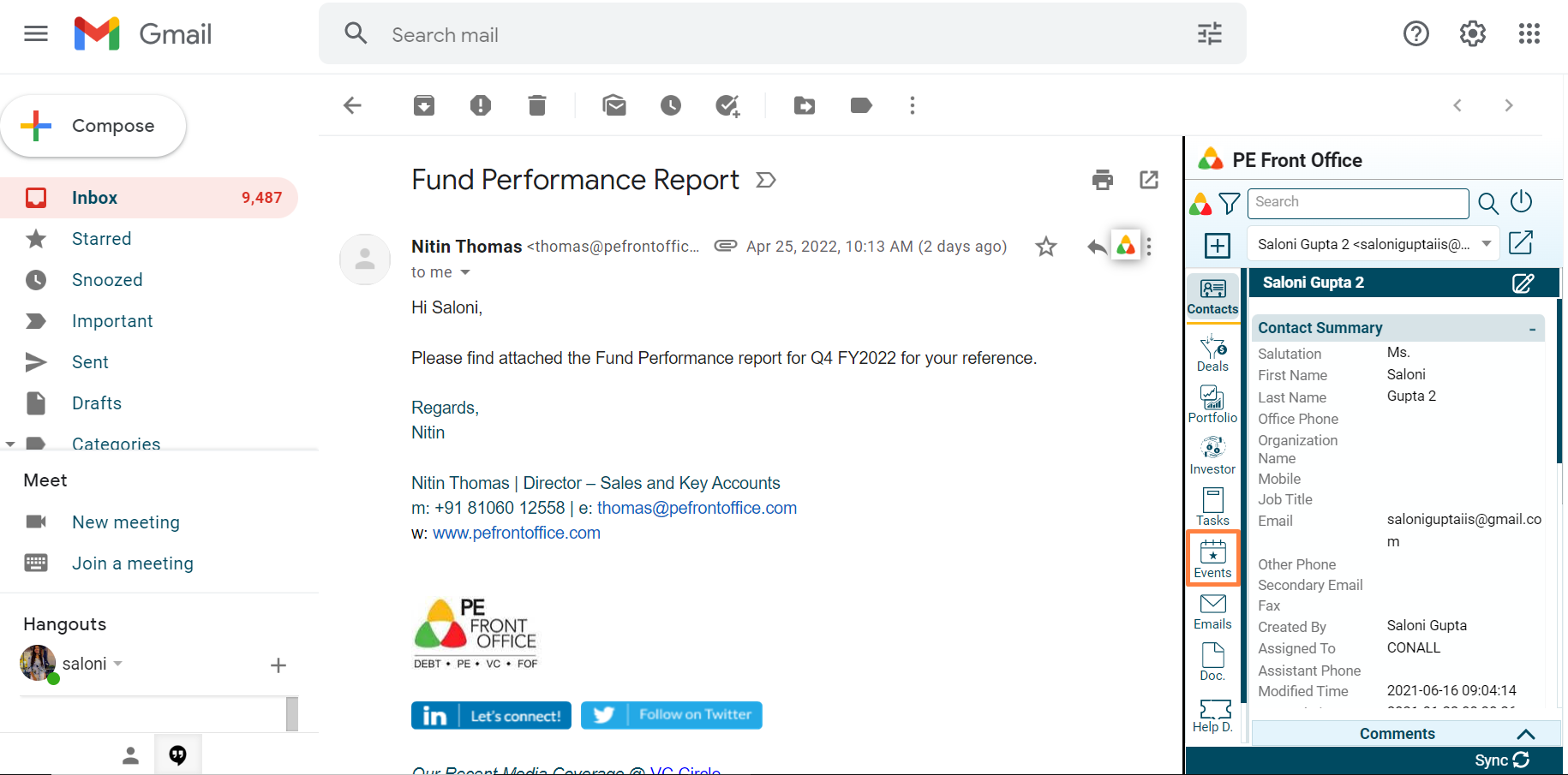
To add an event associated with a contact, follow the below steps:
1. Click on Events in the left-hand side menu.
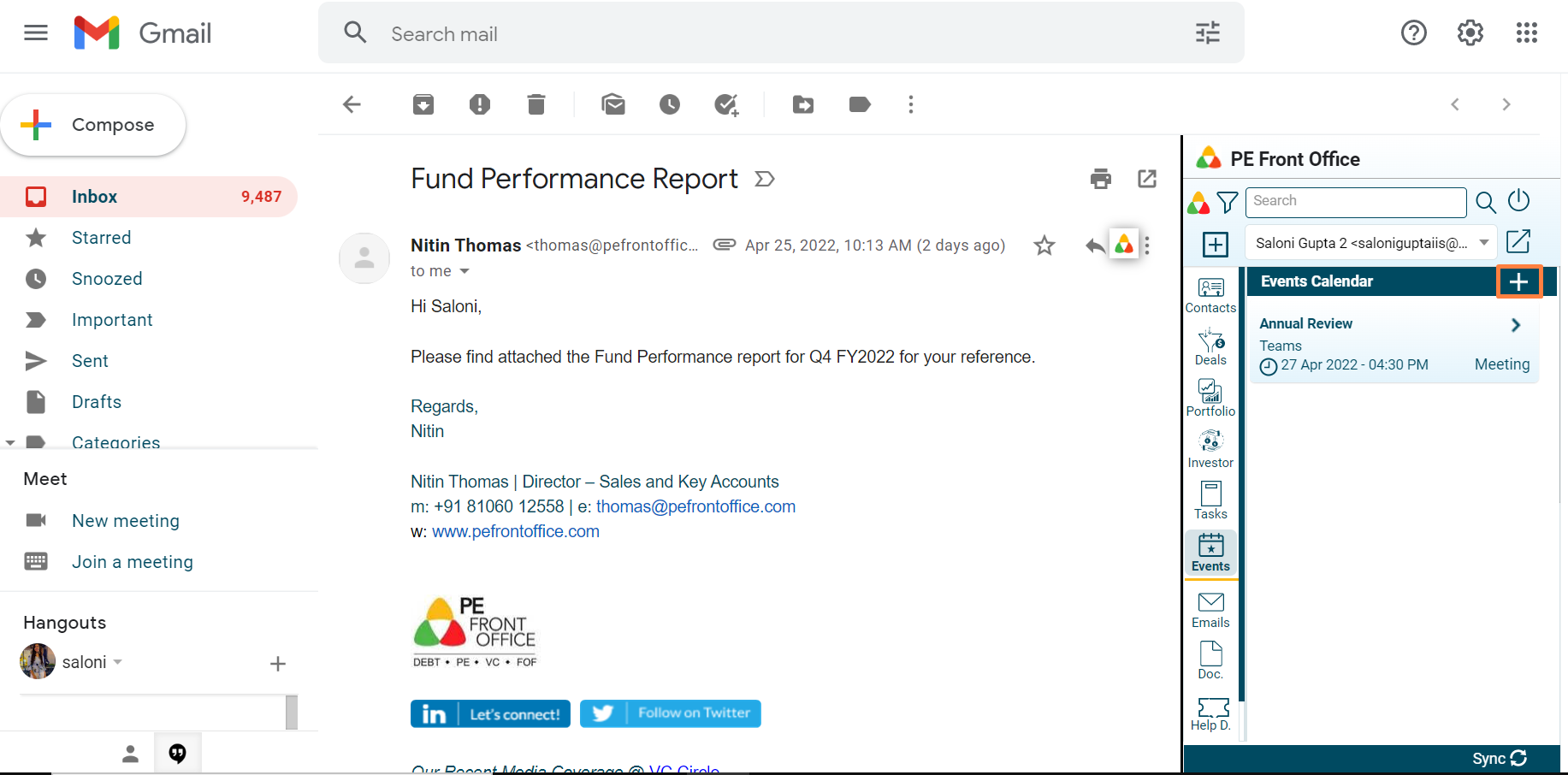
2. The Events window is displayed. Click on Add icon.
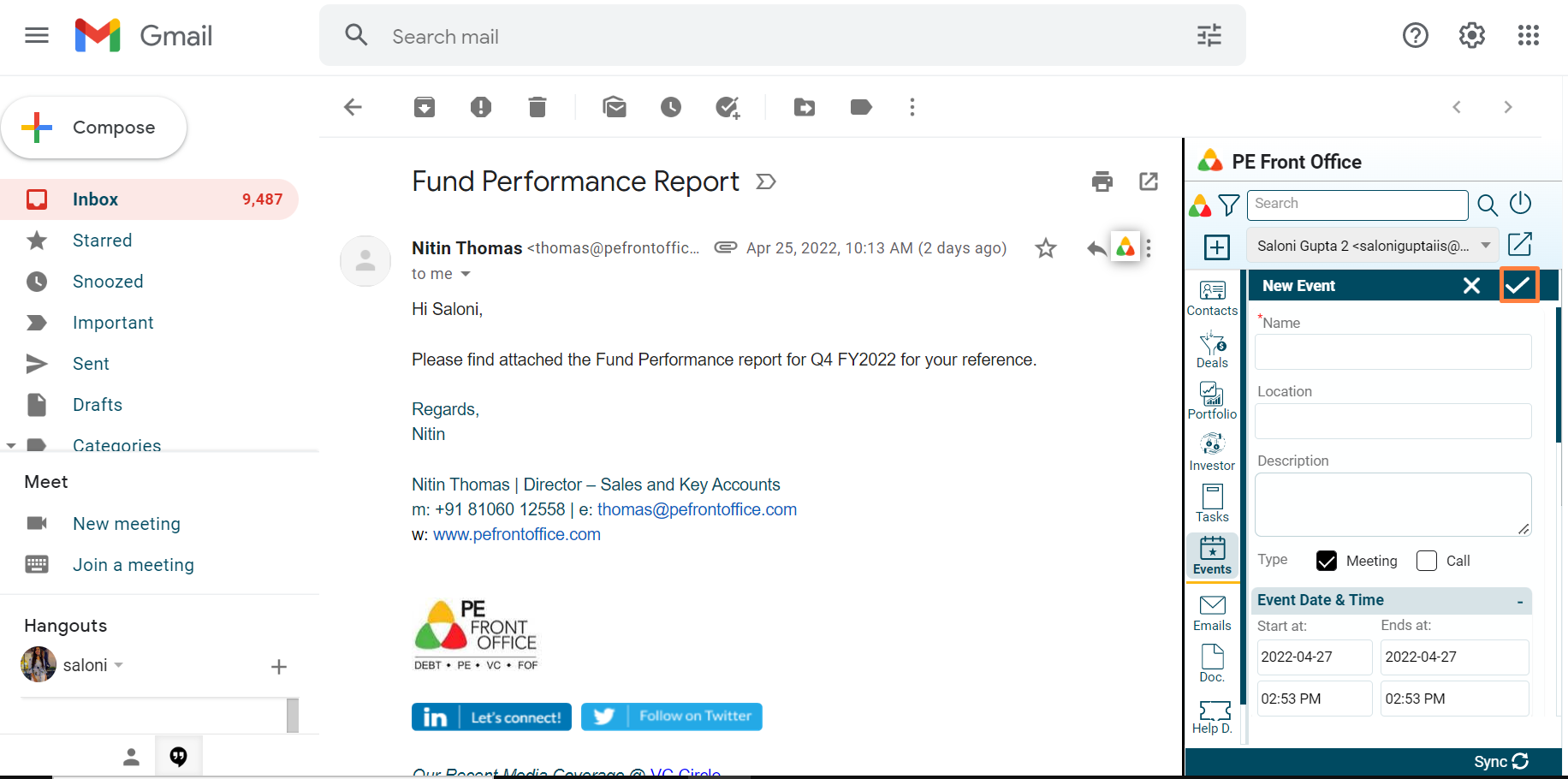
3. Update the details and click on Check button to save.
To add an event associated with a contact, follow the below steps:
1. Click on Events in the left-hand side menu.
2. The Events window is displayed. Click on Add icon.
3. Update the details and click on Check button to save.