
Deal
Create a Deal From Outlook Plugin
To create a deal from Outlook, follow the below steps:
1. Navigate to Outlook. Click on the Add button on the top left corner of the window. Click on New Deal.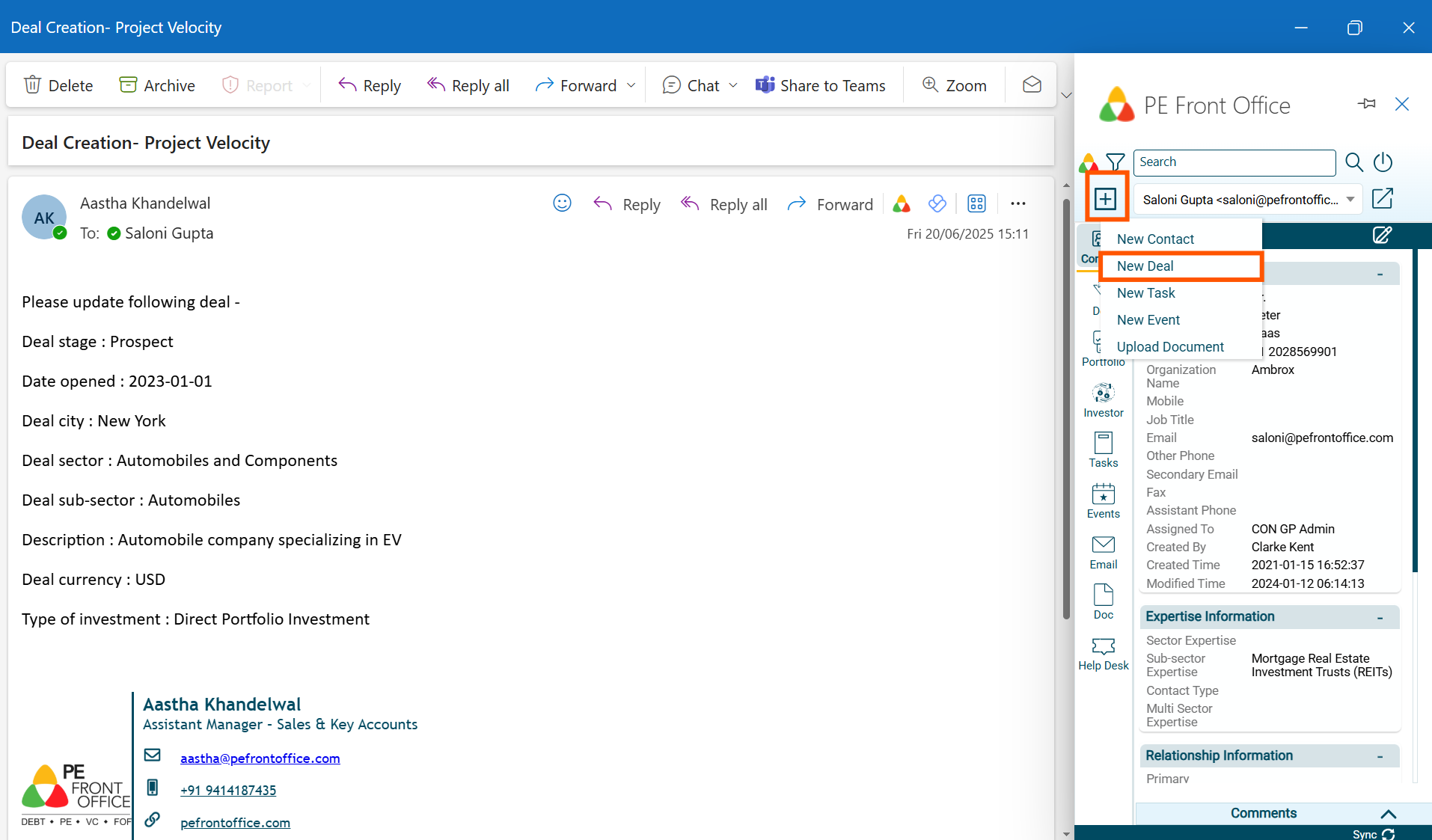
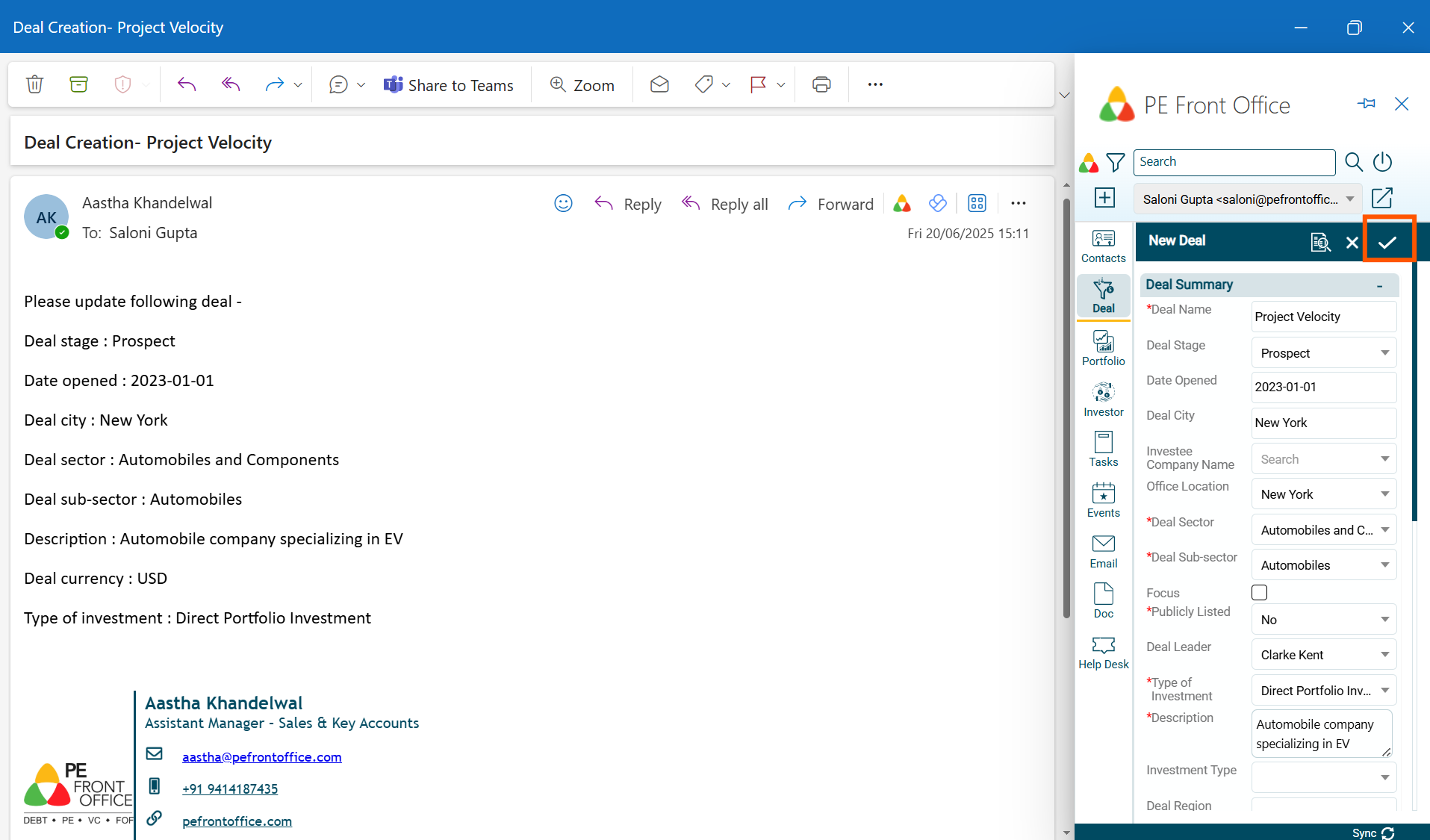
2. The data will populate. Update the fields and click on check ( ) button to save the Deal.
3. It will be populated in the PE Front Office.
Create a Deal From PitchDeck
To create a deal from Outlook, follow the below steps:
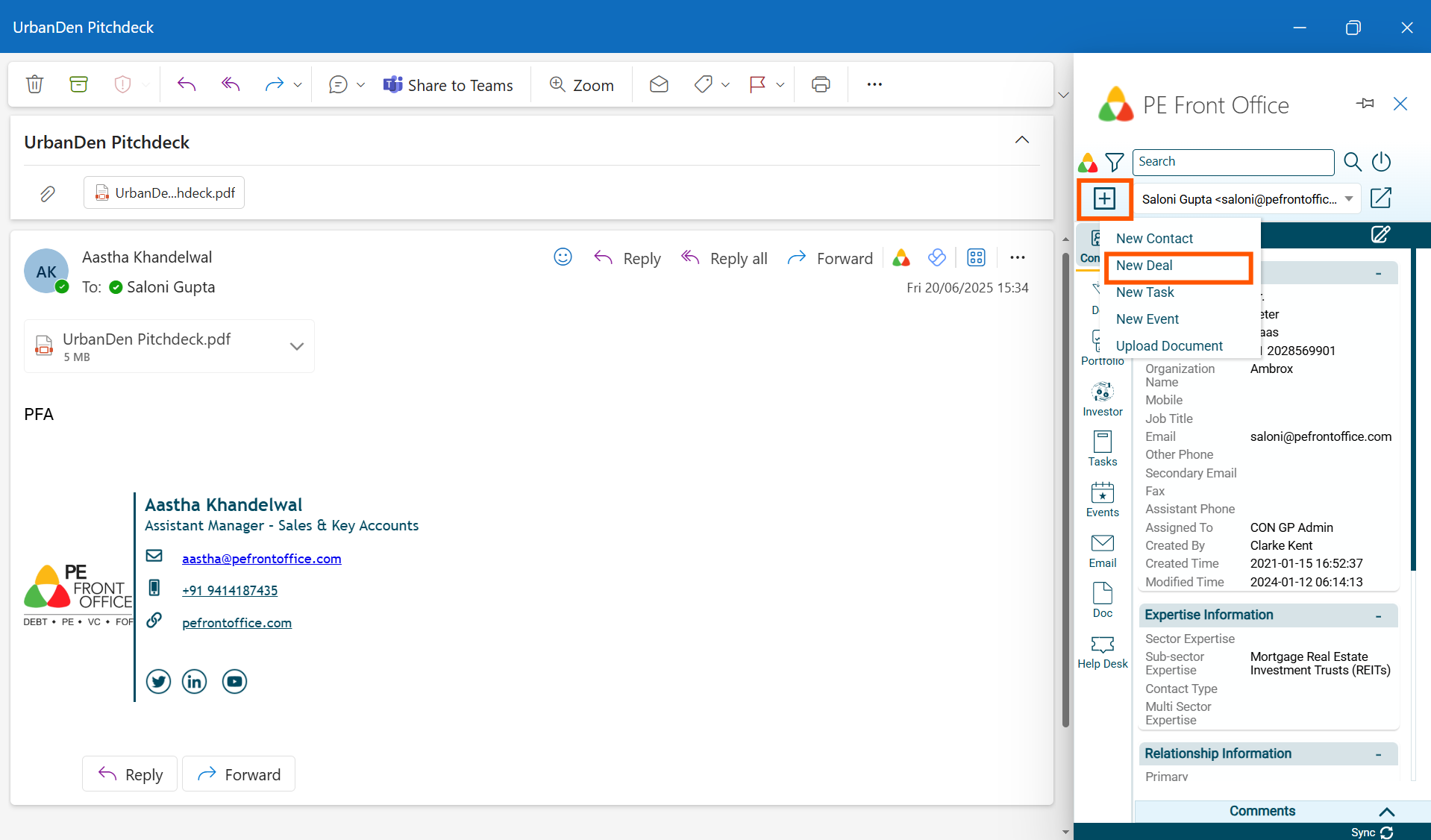
1. Navigate to Outlook. Click on the Add button on the top left corner of the window. Click on New Deal.
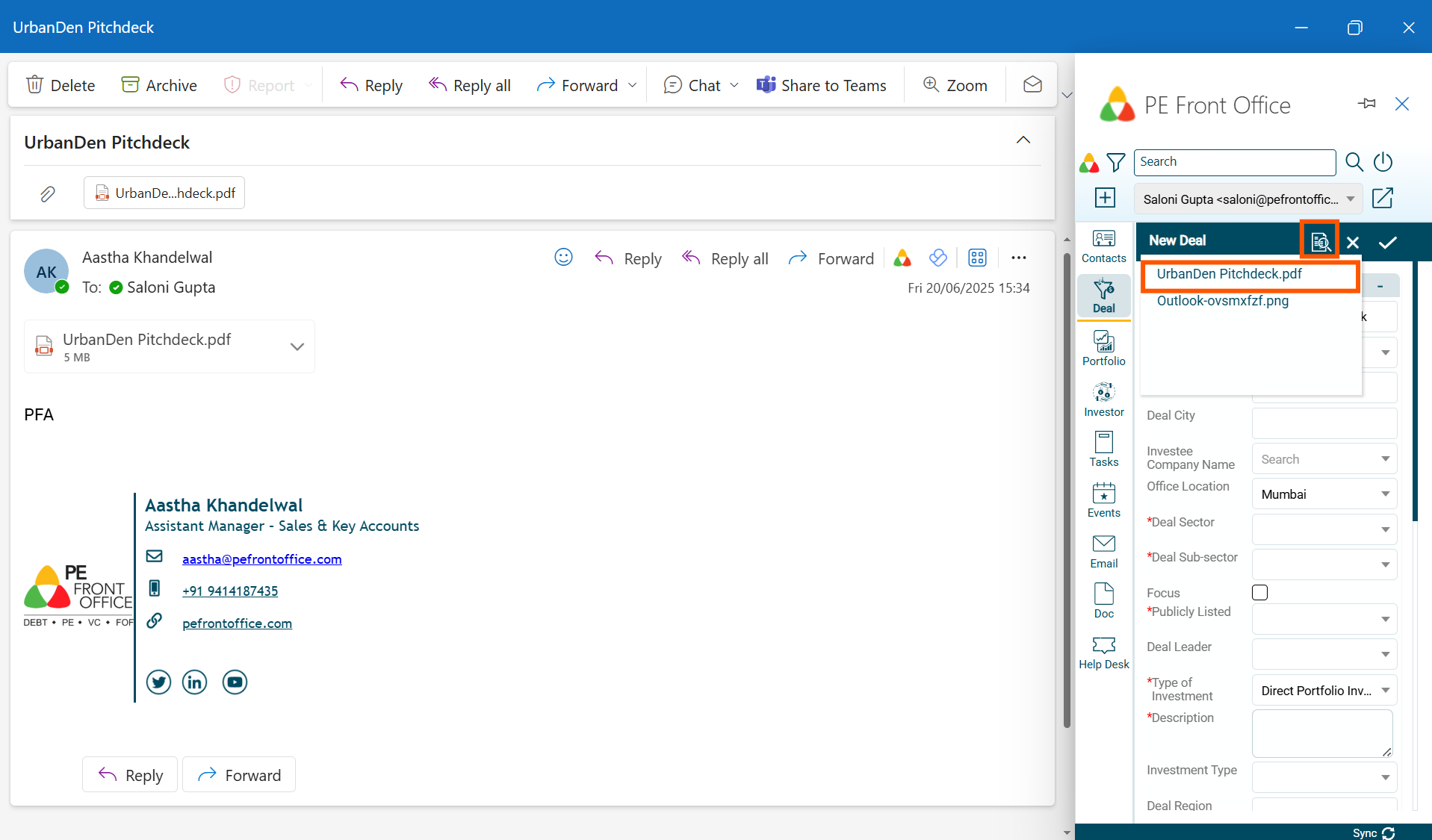
2. Select the media from the mail. It will extract the data from the file and populate the relevant fields.
3. Fill the remaining fields(if any). Click on check ( ) button to save the Deal.
.png)
4. It will be populated in the PE Front Office.