Teams Template
This template allows you to bulk upload historical portfolio Company Investment and External team members data to PEFO.
To bulk upload portfolio company teams data to PEFO, follow the below steps:
1. Click on Portfolio Company in the main menu.

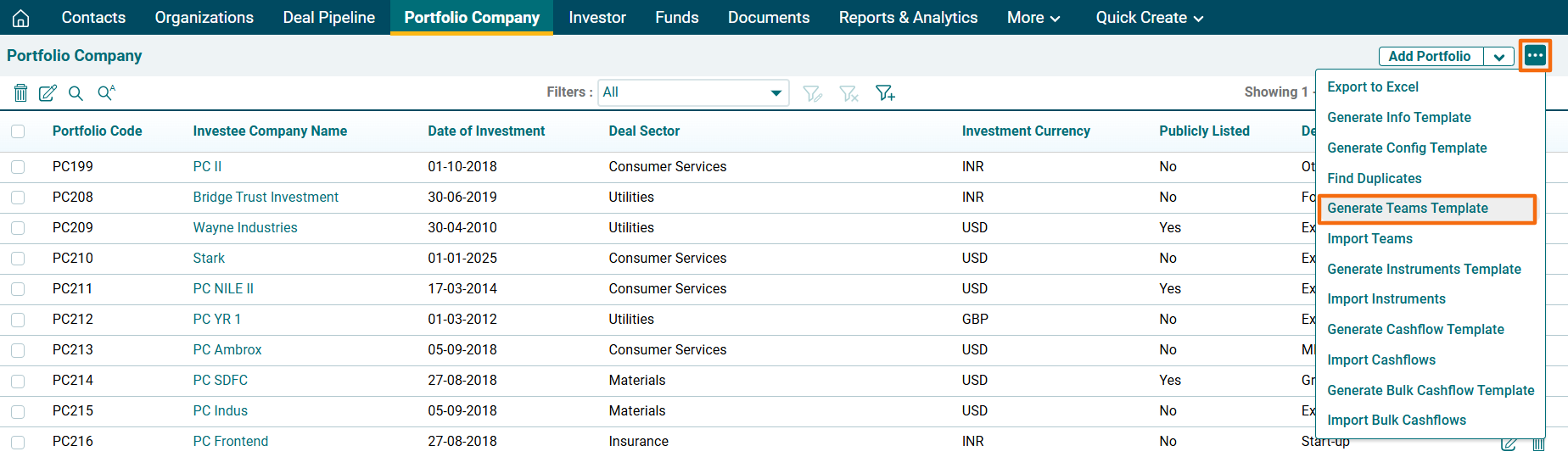
2. Click on the three dot menu in the top right corner. Click on Generate Teams Template. The Excel file will download.
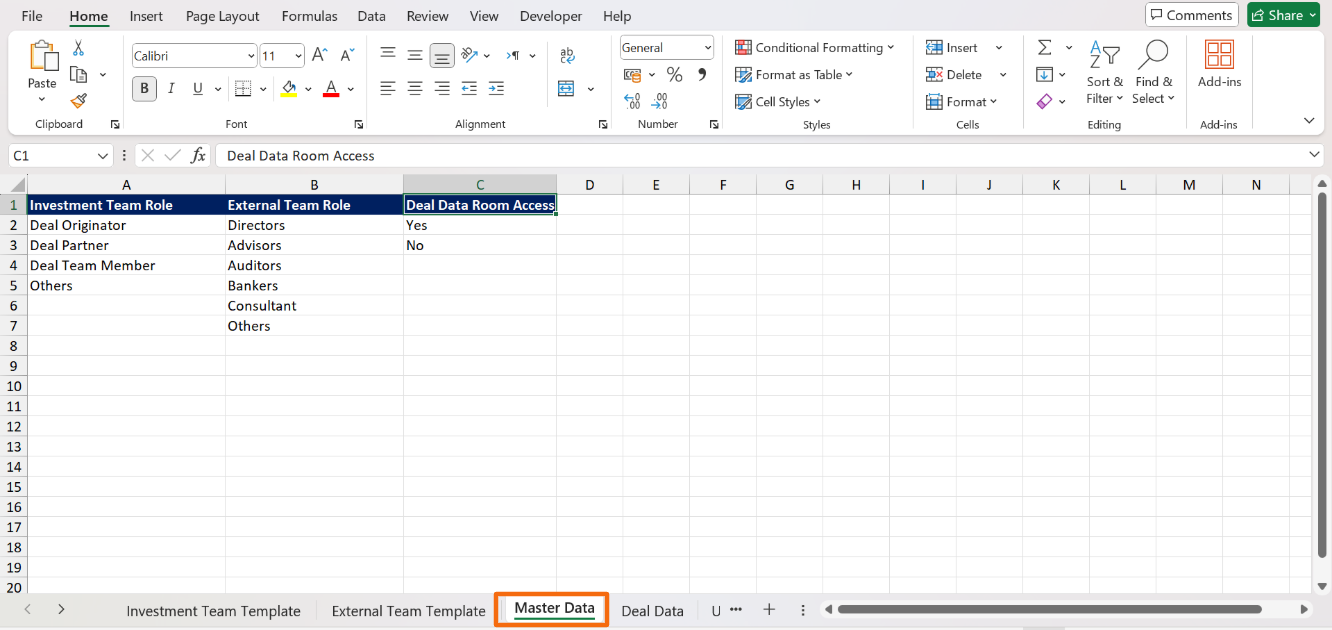
3. In the downloaded file, you can see multiple sheets. The data validation fields are linked to Master Data sheet.
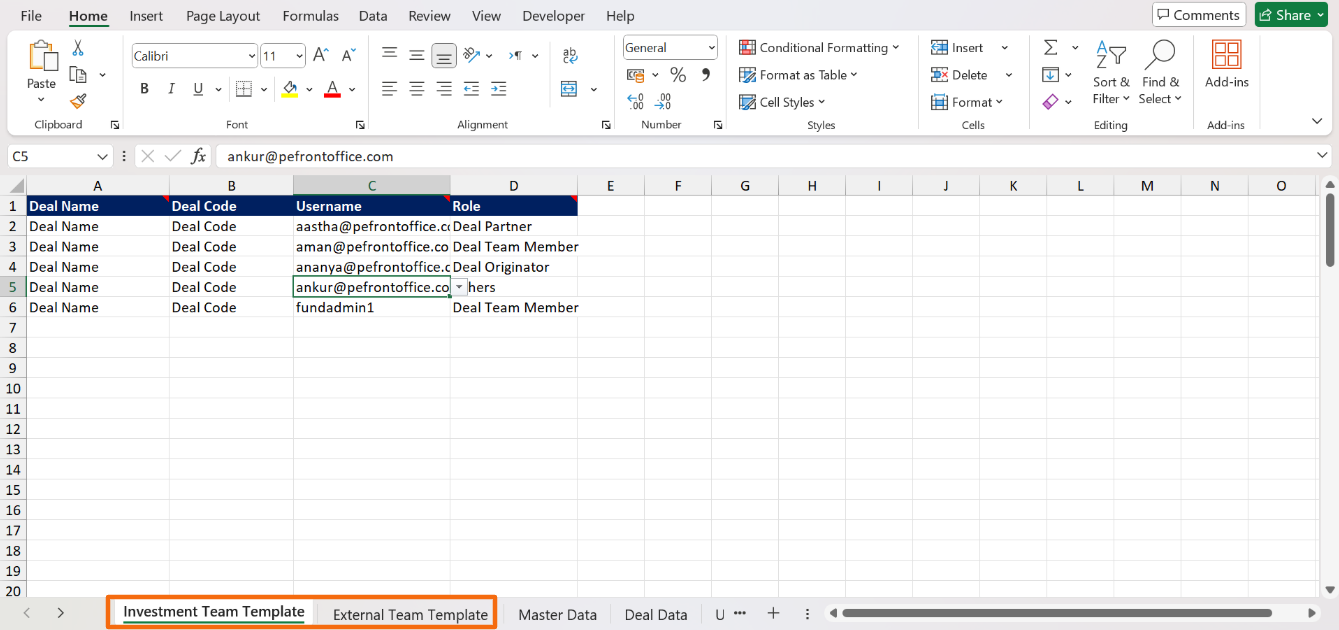
4. Input data in the respective sheets. Save it.
5. To import Teams data, click on the three dot menu in the top right corner. Click on Import Teams.
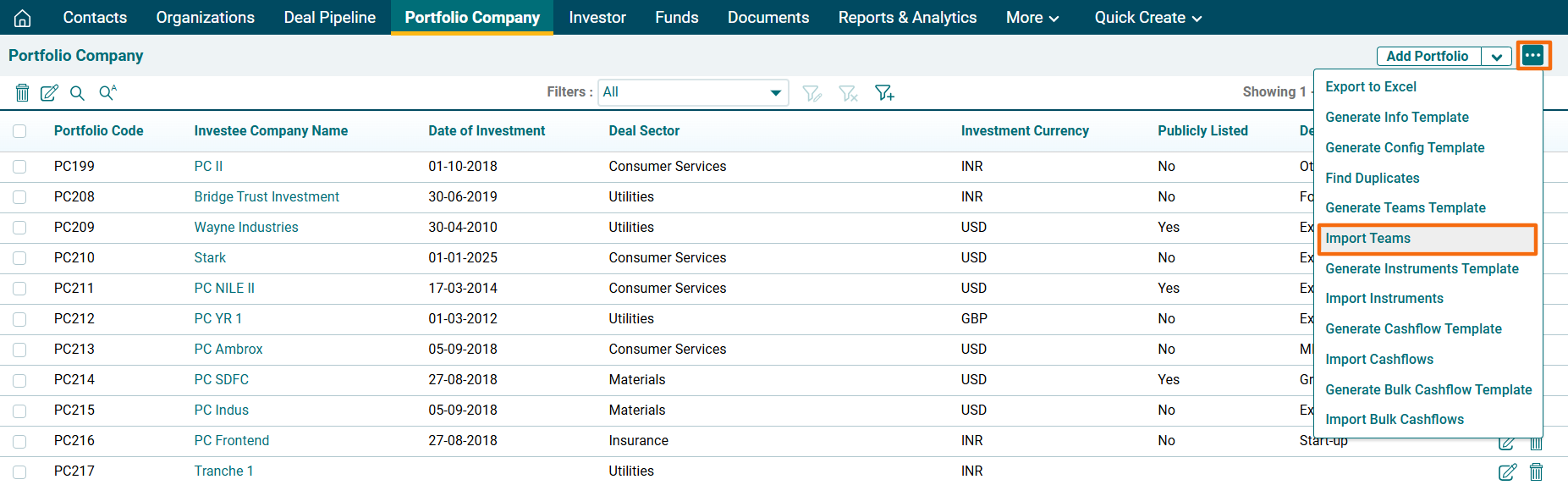
6. The Import Investment & External Team window is displayed. Click on Choose File.

7. Click Upload.

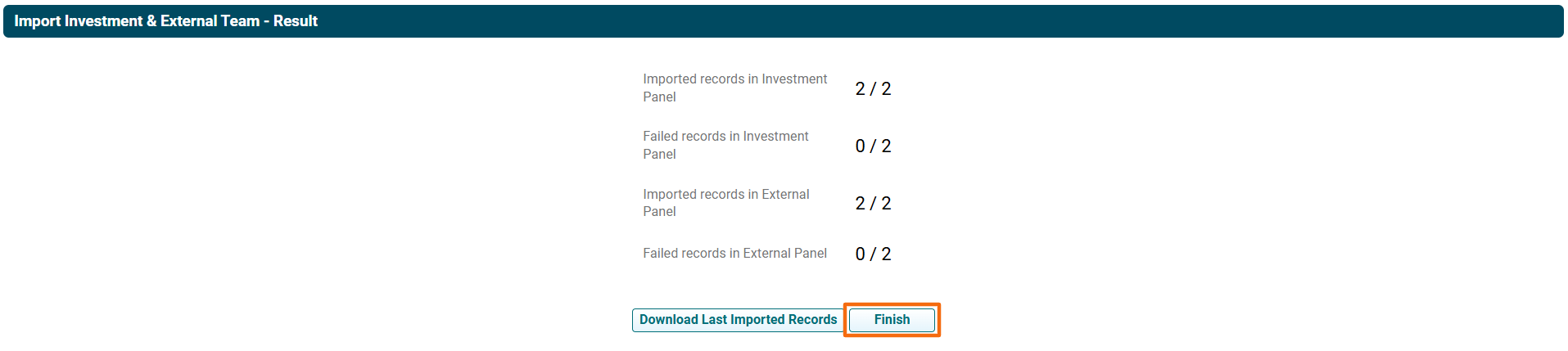
8. The Import Investment & External Team- Result window is displayed. To view last imported records, click on Last Imported Records. The excel file will download. Check the file for the highlighted errors and fix them before importing again.
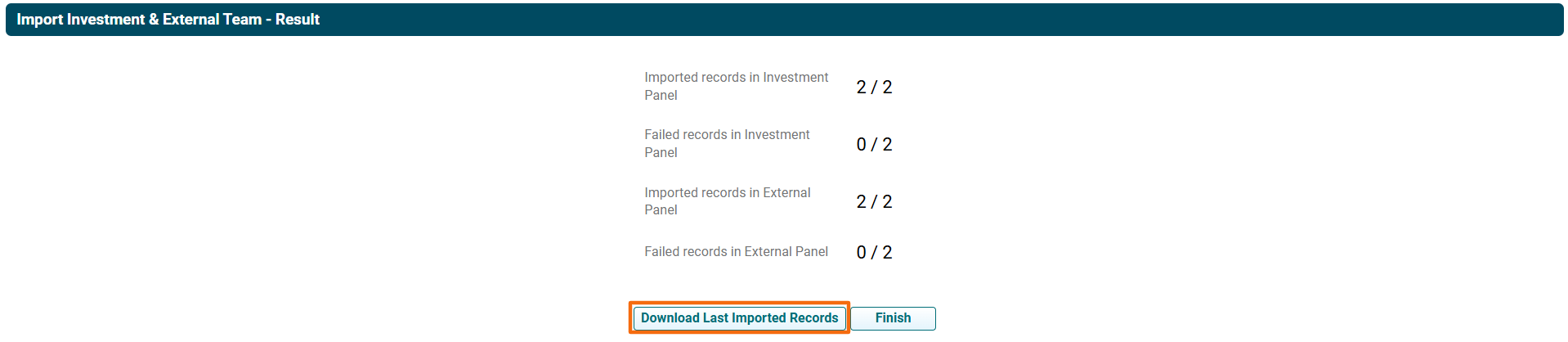
9. Click Finish to successfully import the records.