
Deal Pipeline
In PE Front Office, you can change the screen configuration of the Deal Pipeline information. You can add, hide, or rename the fields.
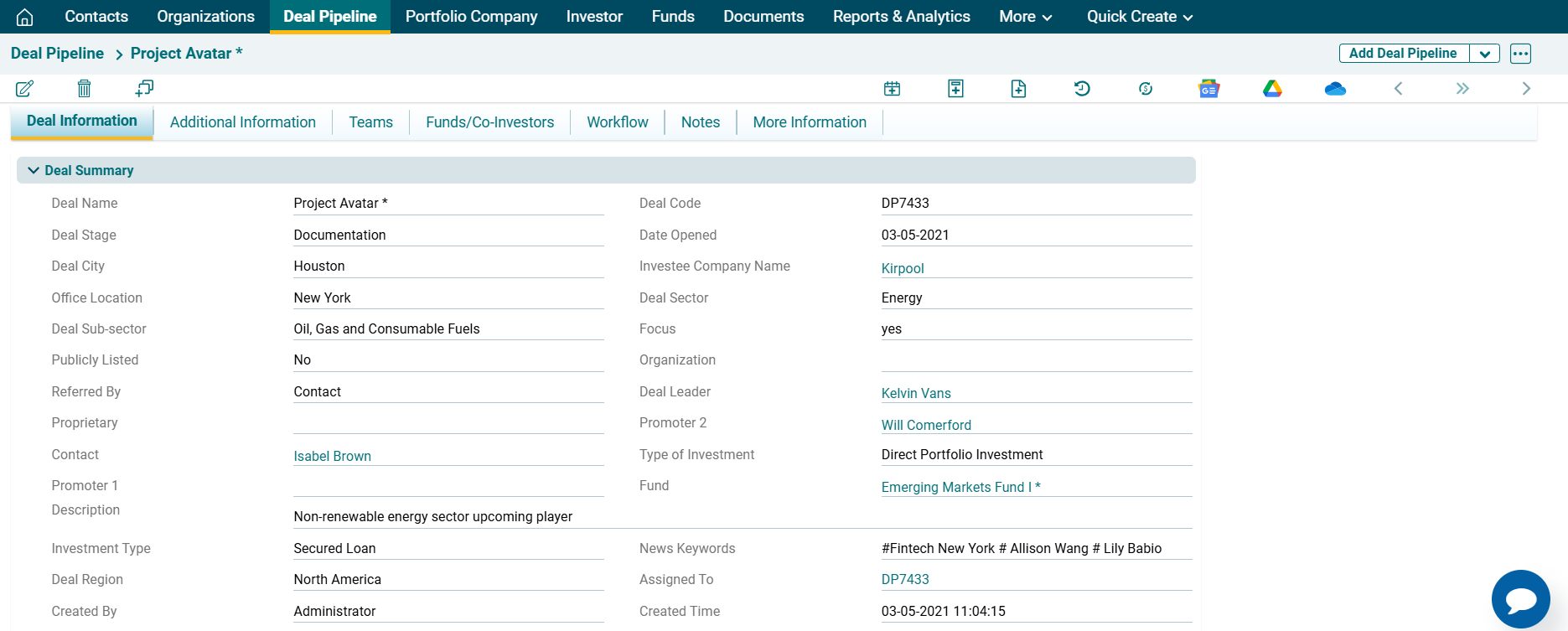
To change screen configuration, follow the below steps:
1. Click on Deal Pipeline in the main menu.

2. Click on the three dot menu in the top right corner. Click on Generate Config Template. The Excel file will download.

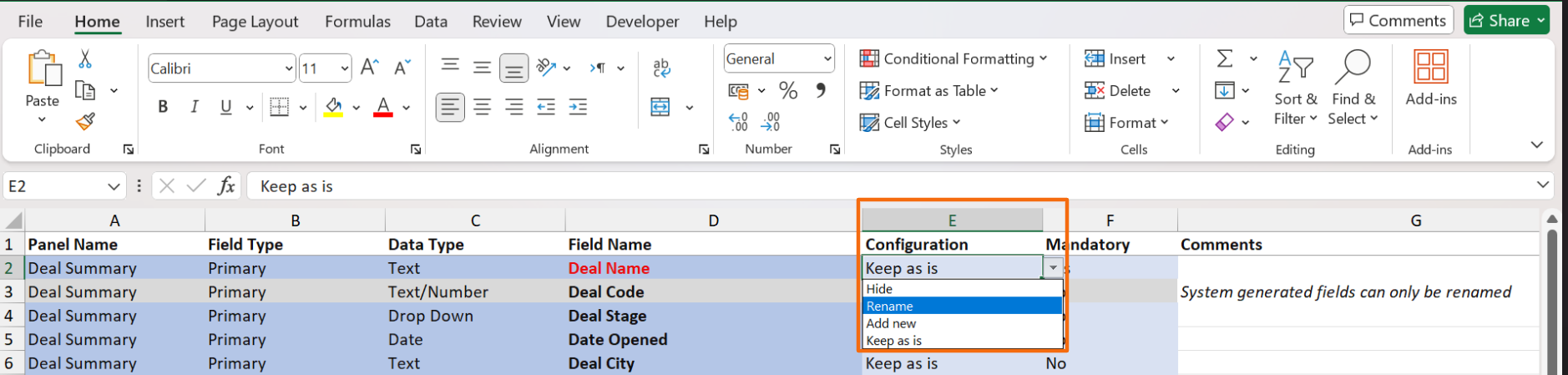
3. In the downloaded file, choose the desired option, i.e. Hide, Rename, Add New, or Keep as is from the dropdown list in column E. System generated fields can only be renamed.
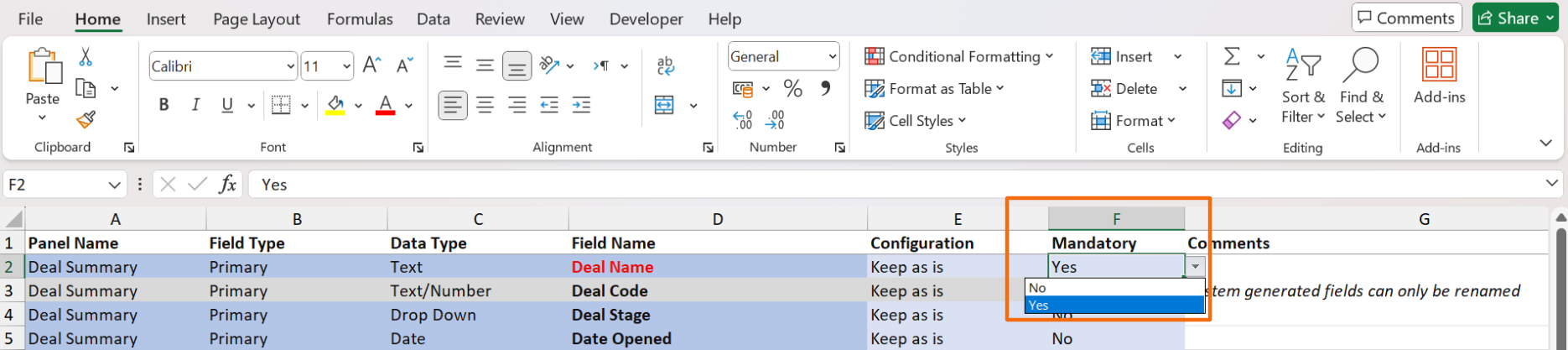
4. To make a field mandatory, go to column F. To mark it as mandatory, choose Yes from the dropdown list in column F. Else, choose No.
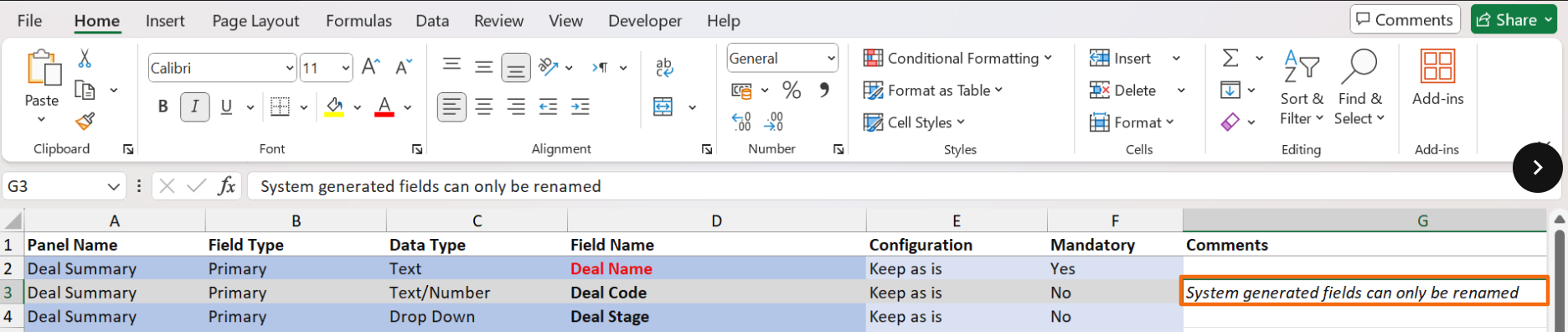
5. Specify specific instructions, if any, in column G.
6. Send the email to system admin with the excel file to get the changes implemented.