
Master Data
You can change the dropdown values across the modules through Master Data Management. It allows you to change the fields which already have the dropdown, to add any and remove dropdown values.
To configure dropdown values across PE Front Office, follow the below steps:
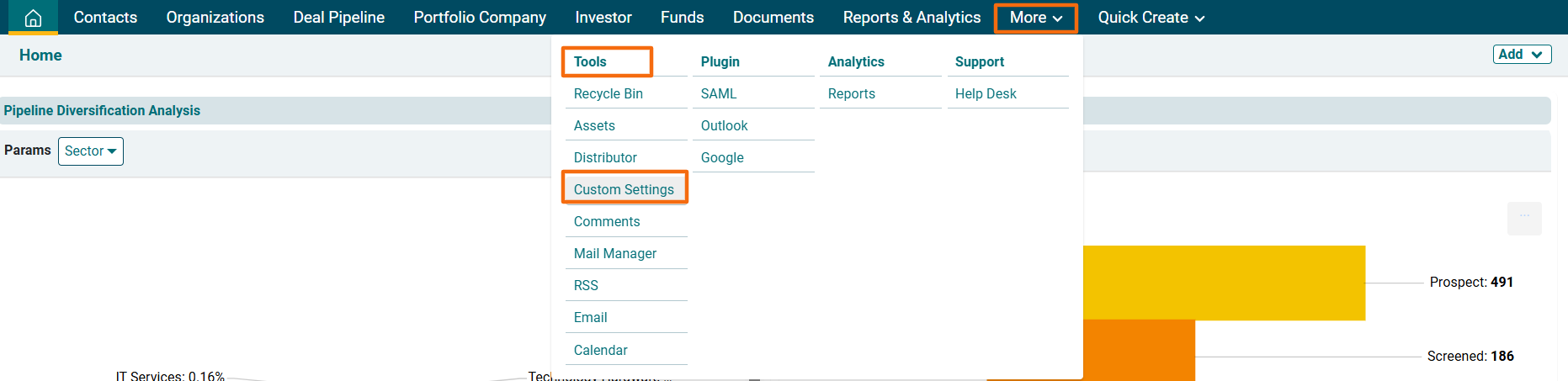
1. Click on More in the main menu. In dropdown menu, click on Custom Settings under Tools Column.
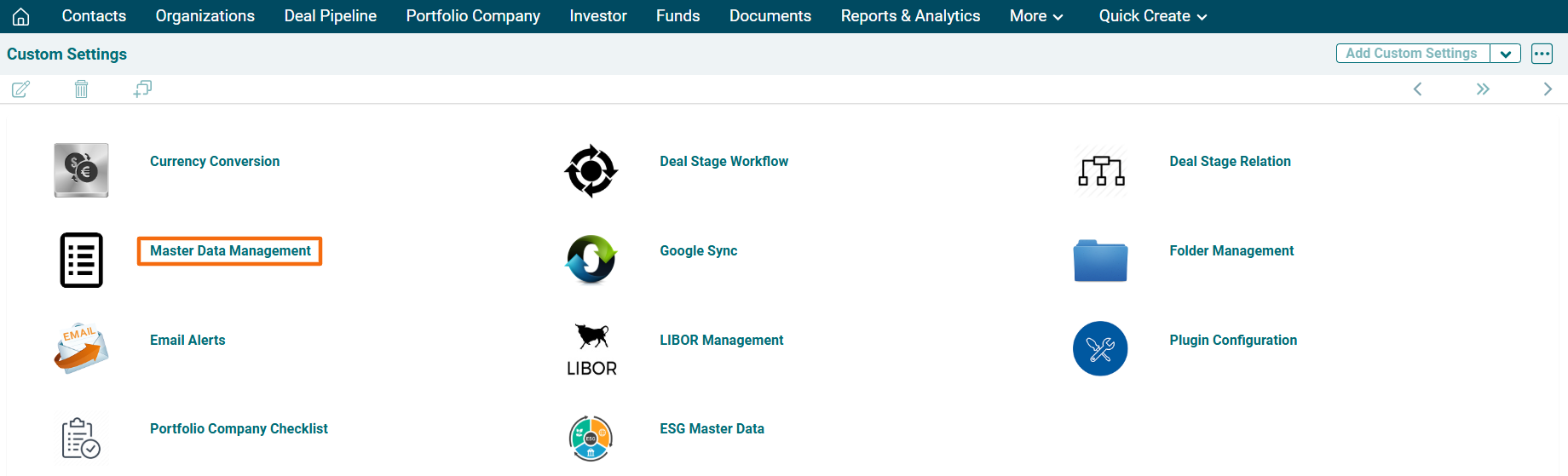
2. The Custom Settings window is displayed. Click on Master Data Management.
3. Click on the three dot menu in the top right corner. Click on Master Data Template. The Excel file will download.

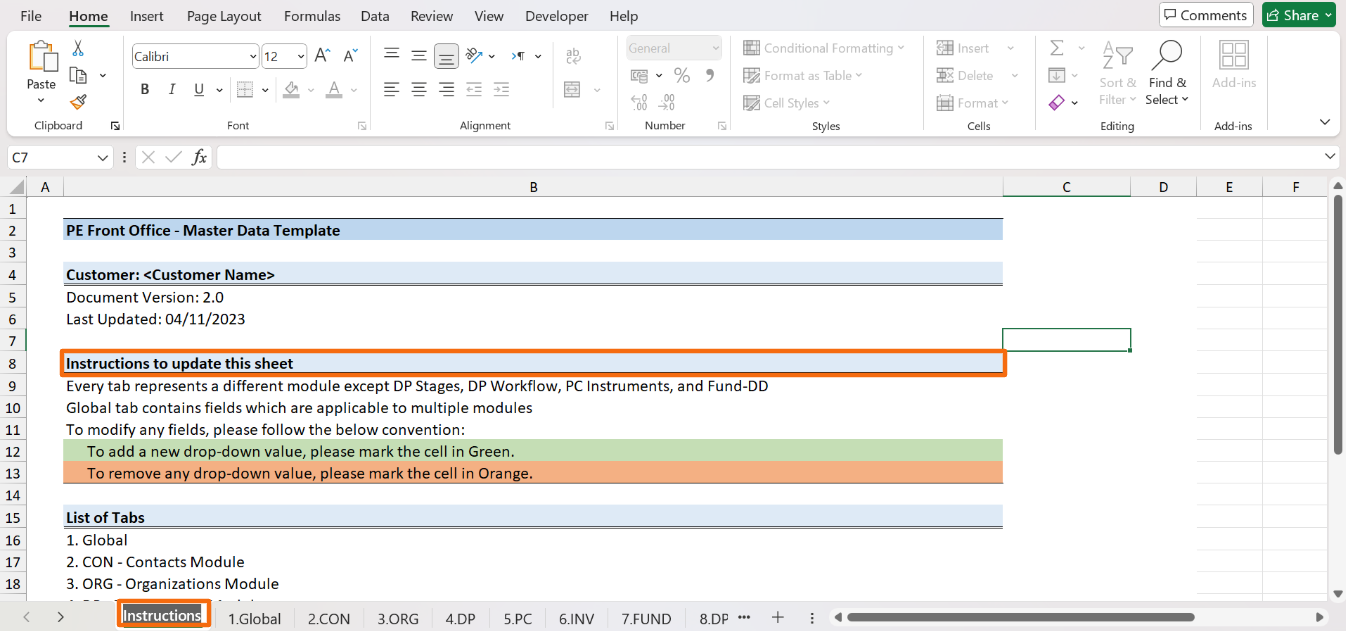
4. The excel file includes tabs for all relevant modules, including the instructions to make the required changes. Read the instructions carefully.
- To add a new dropdown value, mark the cell in Green.
- To remove a new dropdown value, mark the cell in Orange.
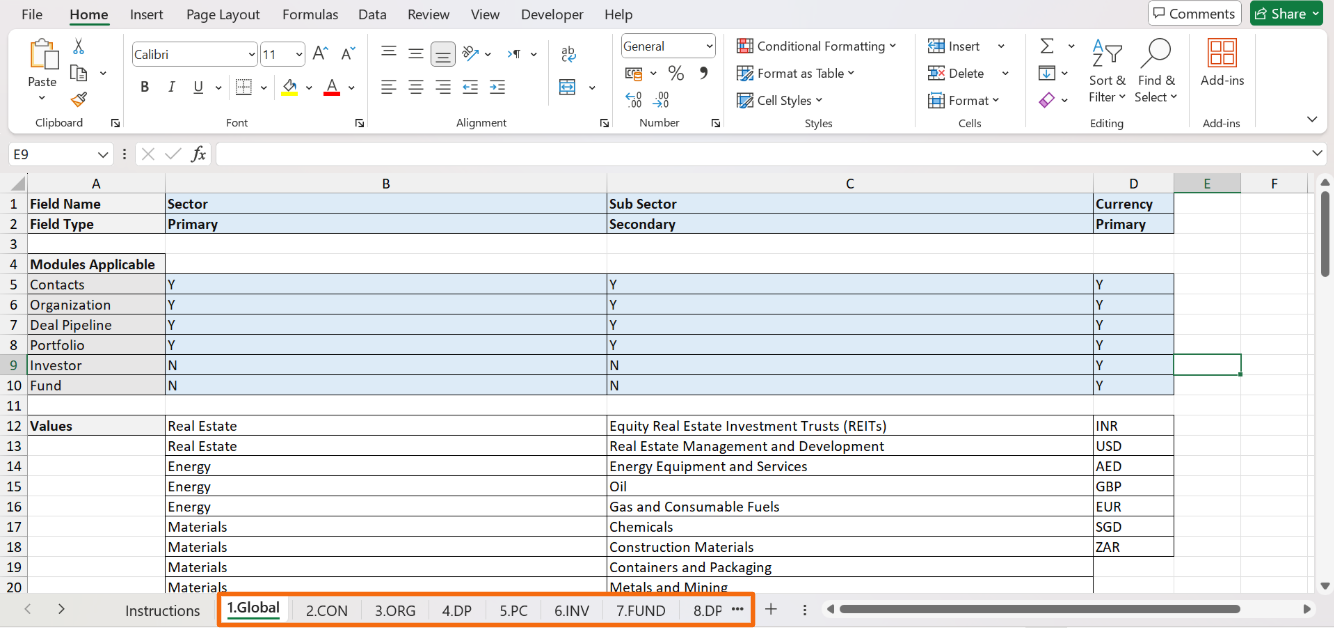
5. The Global tab contains fields which are applicable to multiple modules. You can make the common dropdown changes across various modules here. To make any specific changes to a module, make changes in the similar manner.
6. Send the email to system admin with the excel file to get the changes implemented.