• HELP CENTER

  • Getting Started
  • CRM
  • Deal Pipeline
  • Portfolio Company
  • Investee Company Portal
  • Investors
  • Investor Portal
  • Funds
  • Investee Fund Portal
  • Reports and Analytics
  • Deal Data Room
  • Help Desk
  • Document Management
  • Excel Add-in Integration
  • Email Integration
  • Implementation
  • Custom Settings
  • System Administration

Investee Company Portal

  • Portfolio Company Setup
    • Portfolio Information
    • Teams
    • Investment
    • Cap Table
    • Portfolio Monitoring
      • Setup Fin/KPI
        • Fin/KPI Parameters
        • GP Level Fields
        • Investee Level Fields
        • Sector Level Fields
      • Capture Fin/KPI
      • View Fin/KPI
    • ESG Setup
      • Setup ESG
        • ESG Parameters & Filter Reporting
        • Investee Level Field
      • Capture ESG
        • ESG Metrics
        • Sustainability Policies
        • Responsibility & Oversight Roles
    • Compliance
    • Notes
    • Tasks
  • Documents
    • Add a Document
    • Add Existing Document
    • Edit a Document
    • Download a Document
  • Portfolio Monitoring
    • Investment Specific
      • Fin/KPI Trend Analysis
      • Monthly Financials Report
      • Quarterly Financials Report
    • Portfolio (Across Investments)
      • Portfolio Fin/KPI Trend Analysis
      • Portfolio Rev/EBIDTA Analysis
      • Portfolio Financials Report
Help Center /

ESG Parameters

To set up ESG Parameters, follow the below steps:

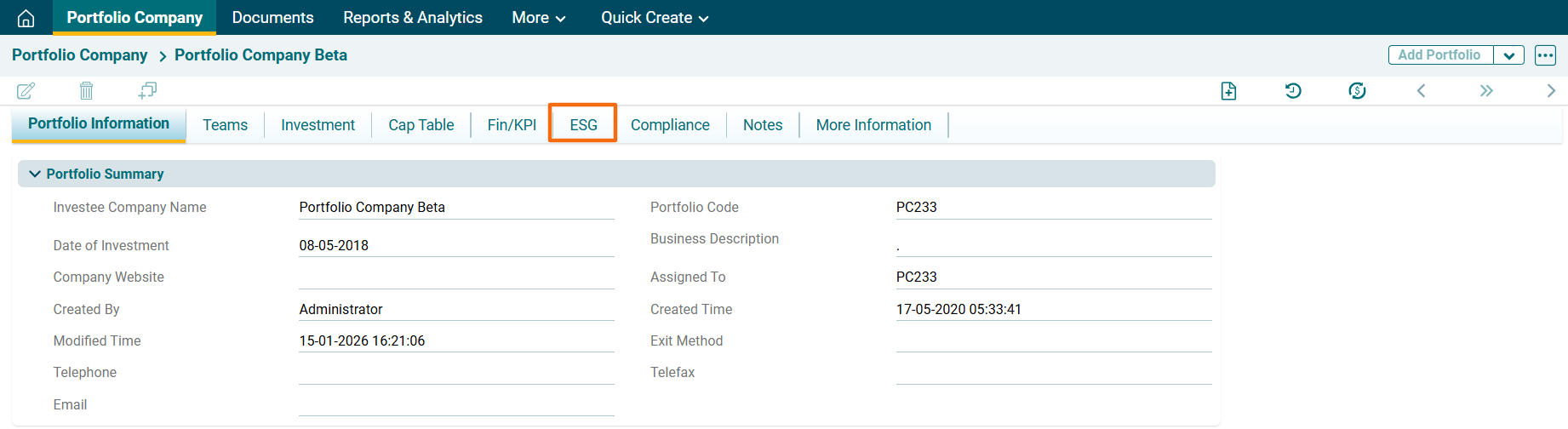
1. Click on the ESG Tab. 

2. To setup ESG parameters, click on Edit button in the top right corner.


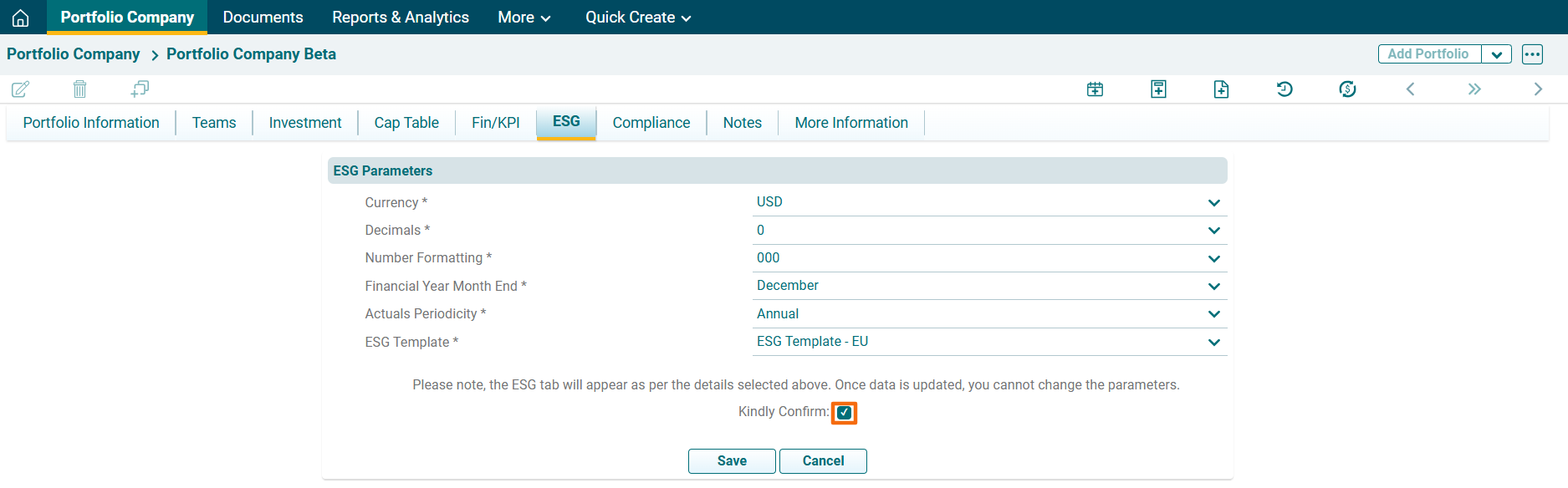
3. Click the Kindly Confirm checkbox to confirm the changes. Click on Save after entering the details.