
Portfolio Company Information
This tab contains the primary details pertaining to a portfolio company at the time of creation. It has thirteen panels which have been described below with their fields. You can view all the portfolio company data in this tab.
Portfolio Information
This panel captures the basic details of a Portfolio company.
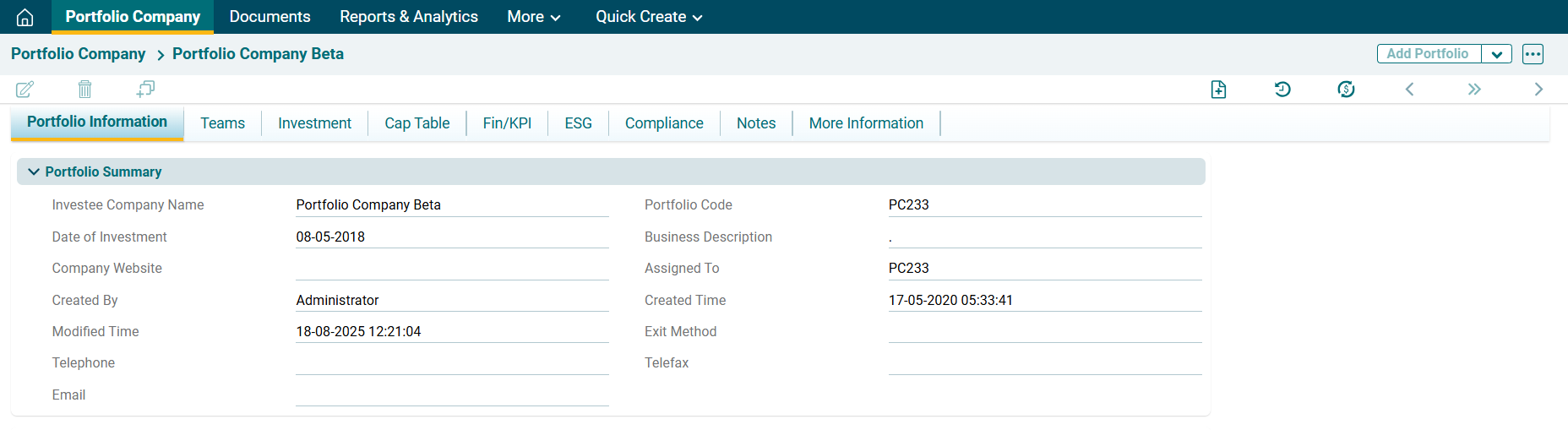
In the above panel, the following are system-generated fields:
- Portfolio Code
- Assigned To
- Created Time
- Created By
- Modified Time
The system will auto-fill these details based on your login details and the time.
Investment Summary (Actual Cashflow)
This panel captures data from the Investment Tab based on the underlying actual cashflows.
Financials/KPI Set up
This panel shows financials and KPIs parameters.

Address Information

Company Logo: This panel shows Portfolio Company's logo.
Company Picture: This panel shows Portfolio Company's Picture.
