You can capture three cases of Financials/KPI - Actual, Budget, and Audited.
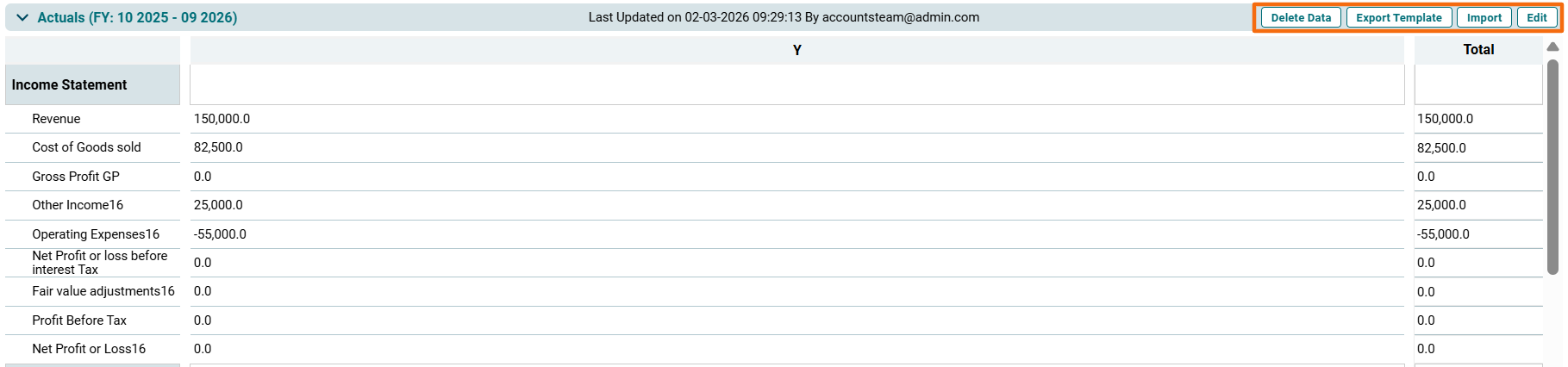
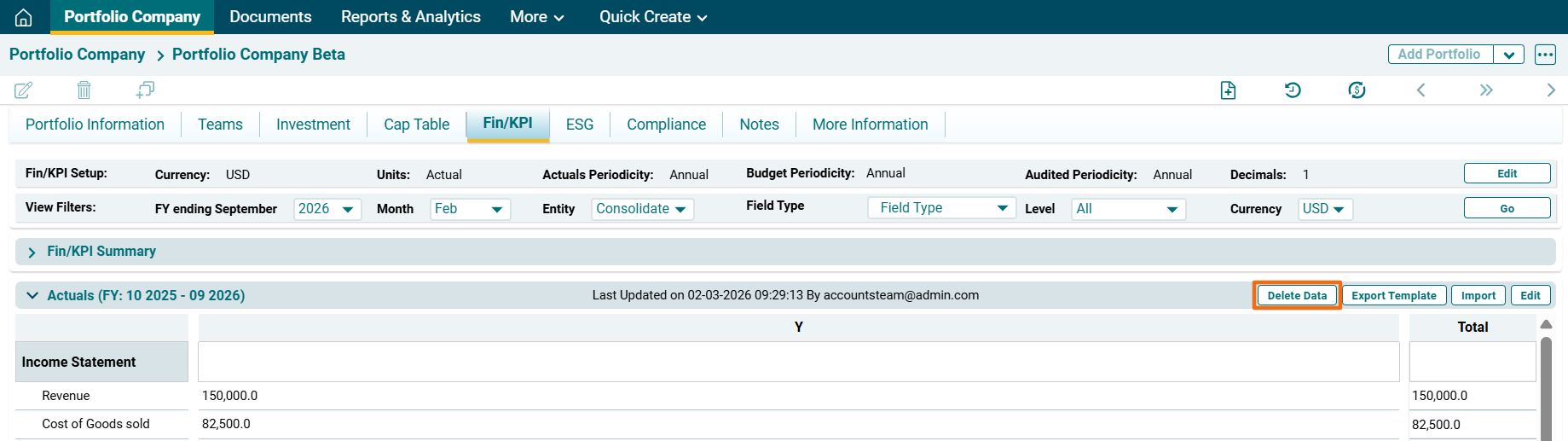
To modify the data, click on the following buttons on the top right corner of the panel:
- Delete Data: To delete data.
- Export Template: To export the template in Excel sheet format.
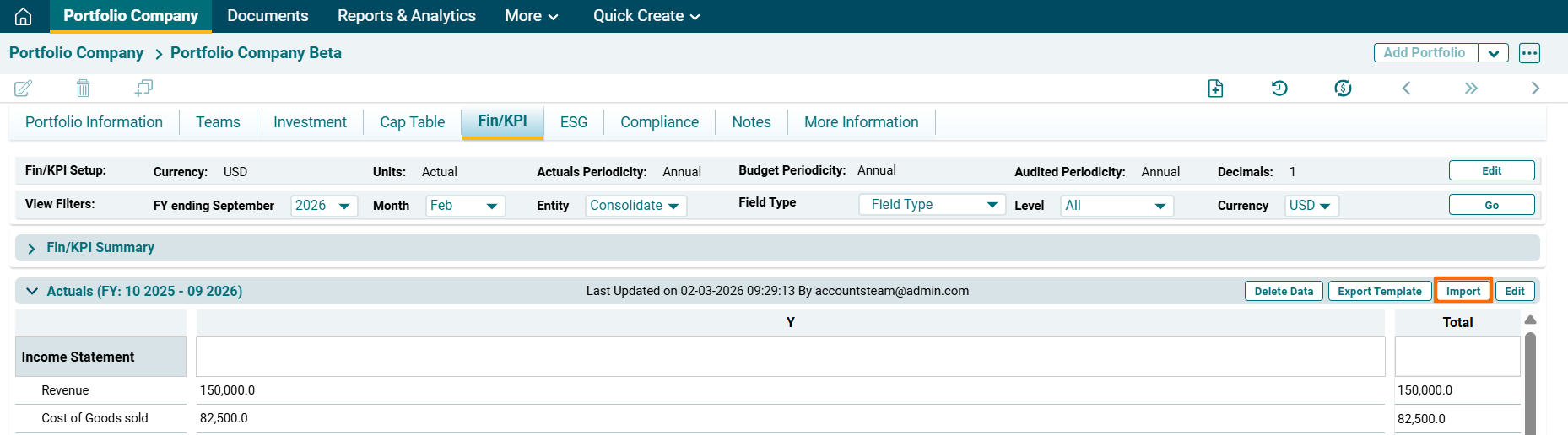
- Import: To import data to the fields.
- Edit: To manually add data in the fields.
Edit Financial/KPIs Data
To edit Fin/KPI data, follow the below steps:
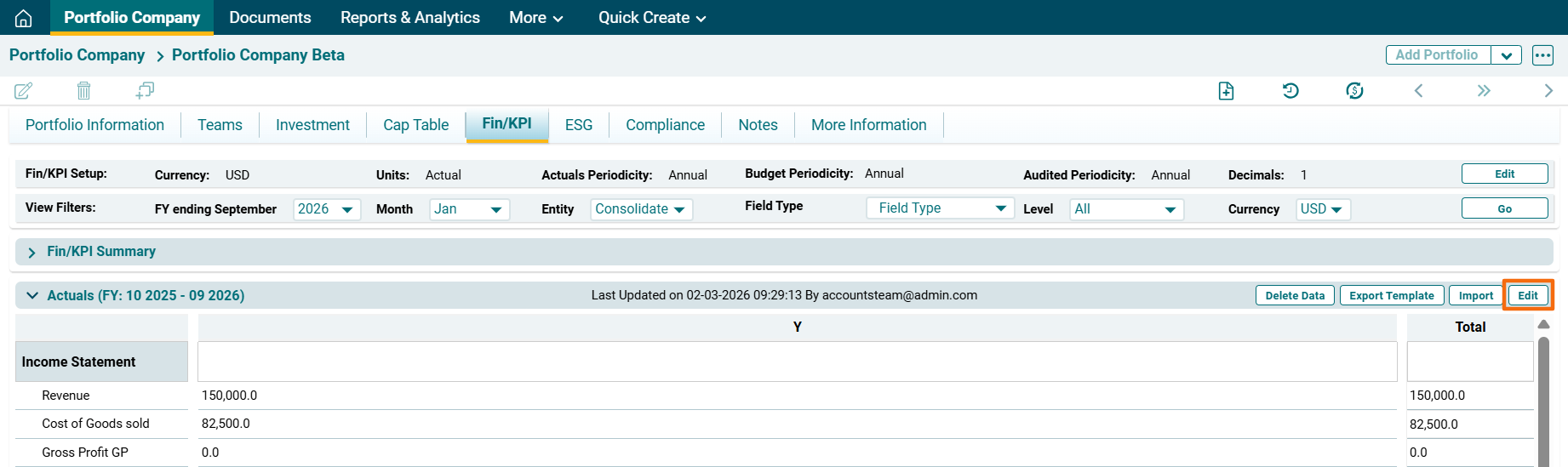
1. Click on Edit ( )button on the top right corner of the respective panel.
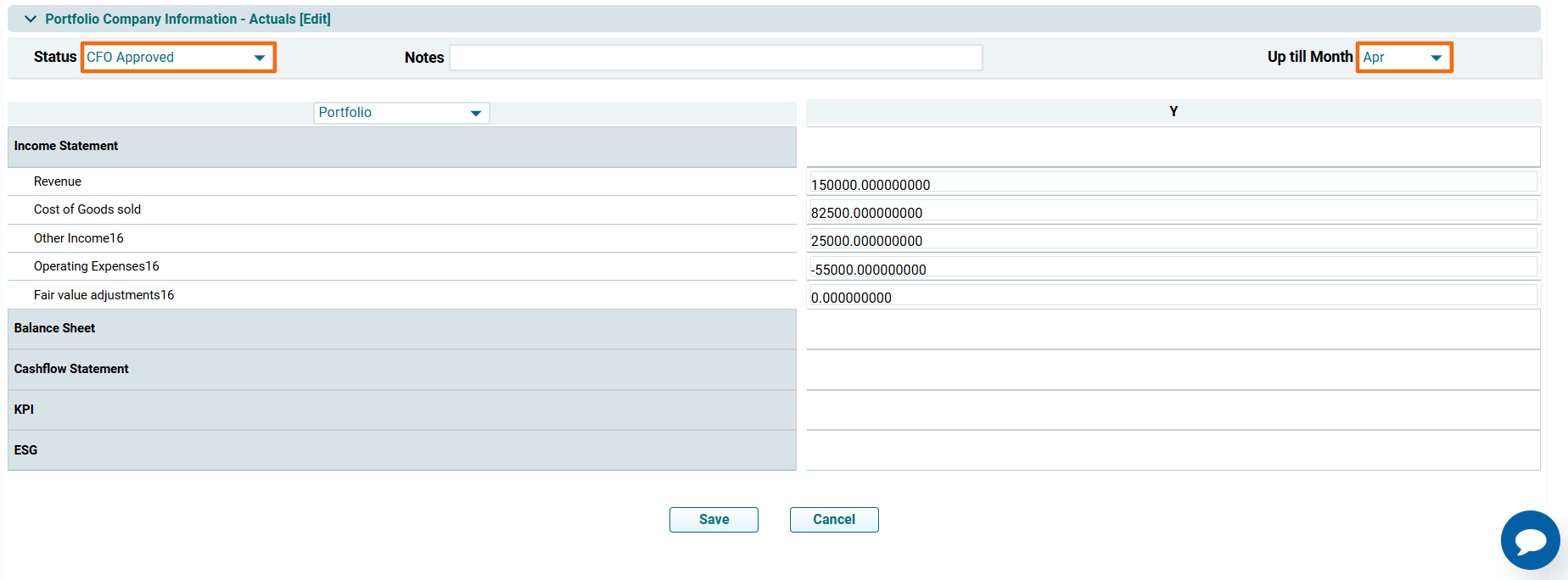
2. The Portfolio Company Information- [Panel Name] Edit window is displayed. Select the Status and change the month. Update the details and click Save.
Import Fin/KPI Data
To import Fin/KPI data, follow the below steps:
1. Click on Import ( ) button on the top right corner of the respective panel.
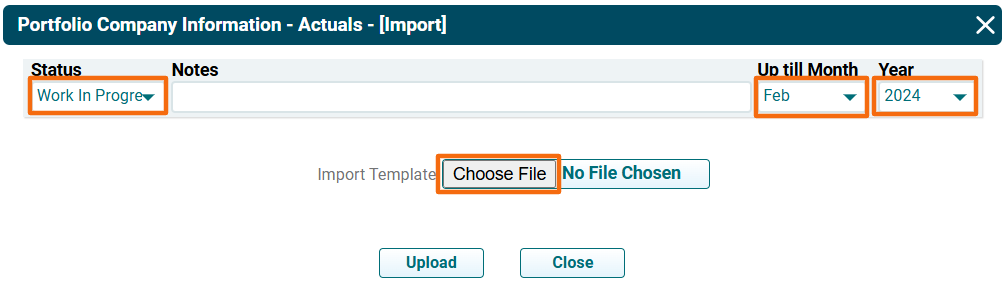
2. The Portfolio Company Information- [Panel Name] [Import] pop-up is displayed. Select the Status. Change the Month and Year from the Dropdown. Click on Choose File.
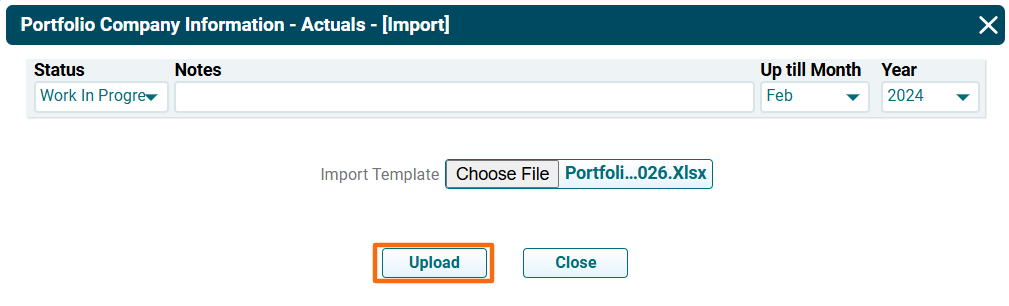
3. Click Upload. The imported data will auto-populate in the panel.
Export Fin/KPI Data
To export Fin/KPI data, follow the below steps:
1. Click on Export Template ( ) button on the top right corner of the respective panel.
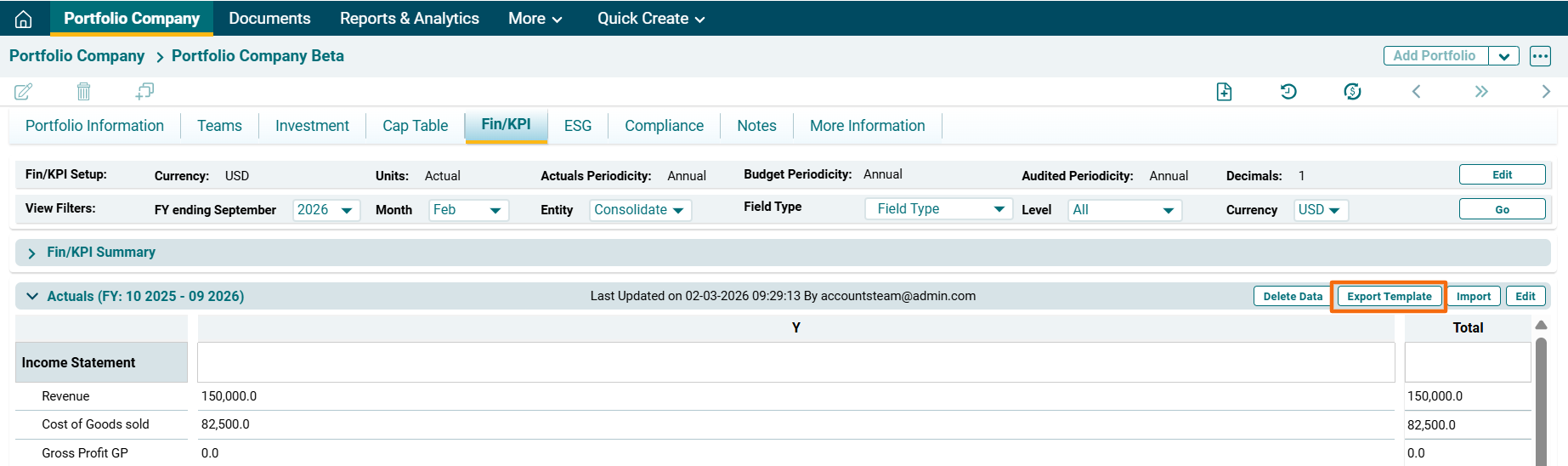
2. The excel file will download.
Delete Fin/KPI Data
To delete Fin/KPI data, follow the below steps:
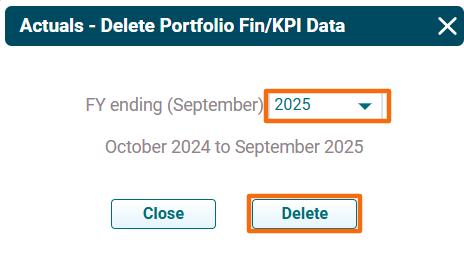
1. Click on Delete Data ( ) button on the top right corner of the respective panel.
2. The [Panel Name]- Delete Portfolio Fin/KPI data window is displayed. Select the year for which you wish to delete the data. Click on Delete.