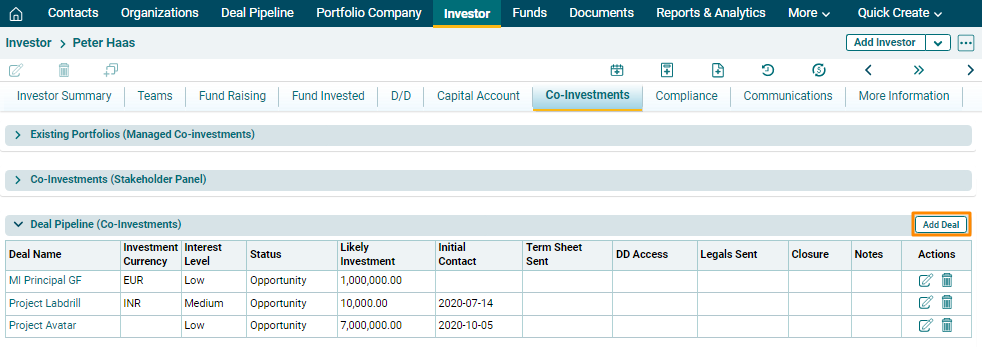
Deal Pipeline
The Deal Pipeline (Co-Investments) panel allows you to capture an investor’s interest in a deal. The details included are:
- Deal Name: Displays the fund name in which investment has been made.
- Investment Currency: The field will automatically be populated from Funds Module.
- Interest Level: Select the investor’s interest level in the fund whether low, medium, or high.
- Status: Select the status of the investor whether an opportunity, has been committed or declined.
- Likely- Investment: Input the potential amount of investment that the investor may invest.
- Initial Contact: Capture the date of initial contact.
- Term Sheet Sent: Capture the date on which the term sheet is sent.
- DD Access: Capture the date of DD Access.
- Legals Sent: Capture the date on which legal documents are sent.
- Closure: Displays the date of closure.
- Notes: Enter notes, if any.
To modify a deal, follow the below steps:
1. Click on Add Deal button in the top right corner of the panel.
2. Update the details and click  ) button from Actions column to save.
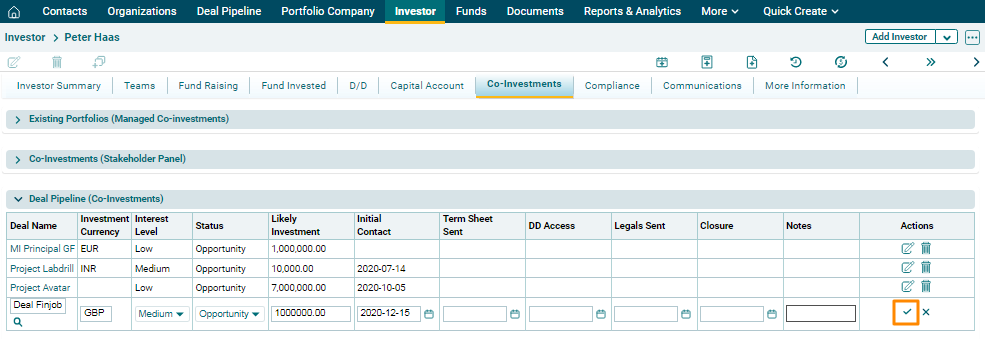
3. To edit deal details, click on
the Edit icon ( ) in the Actions column. Update the
details and click on Check (
) in the Actions column. Update the
details and click on Check ( ) button to save.
4. To delete deal details, click on the
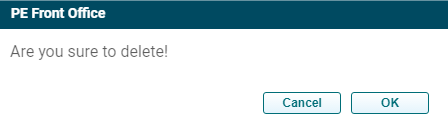
Delete icon ( ) in the Actions column. The delete window is displayed.
Click OK to delete the fund raising details.
) in the Actions column. The delete window is displayed.
Click OK to delete the fund raising details.