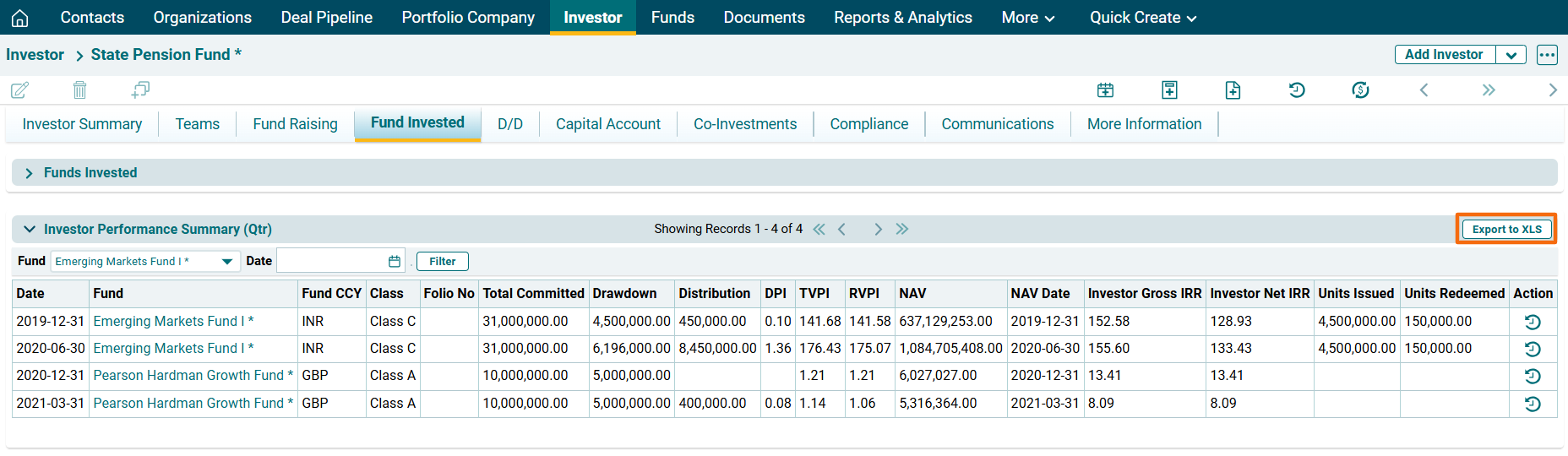
Investment Performance Summary (Qtr)
This panel shows the quarterly summary of fund performance.
This is an auto-populated panel. Any entry made in Funds>Performance>Investor Drawdown Distribution Summary panel related to the respective fund will create a corresponding in this panel.
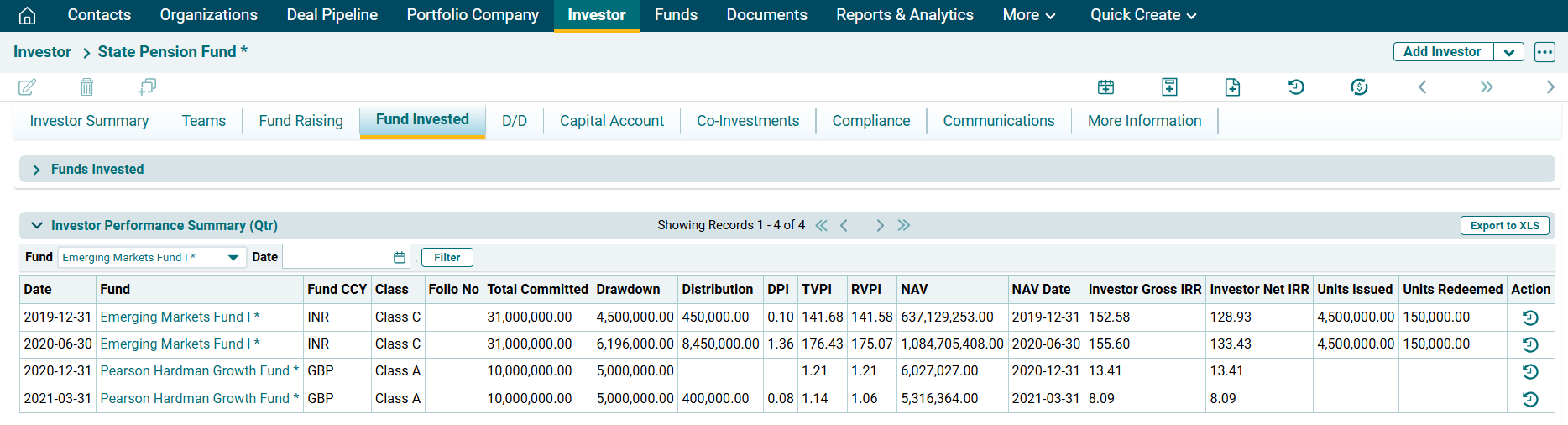
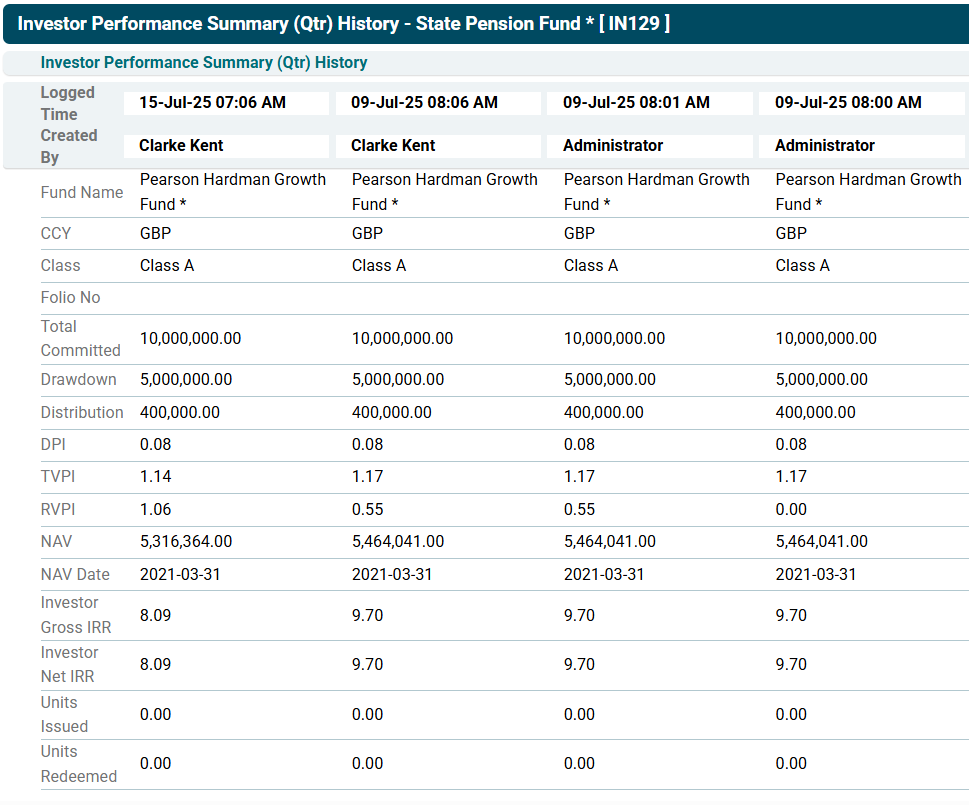
To view history, click on the View History button ( ) in the Actions column.
To download the summary in excel format, click on Export to XLS button in the top right corner of the panel. The Excel file will download.