Kanban View
The default view of the Investor window is List View. To view Investor Kanban View, click on the Kanban View in the top right corner.
In this view, all the investors related to a fund are visible across various stages. Each investor is represented by a card under a stage.
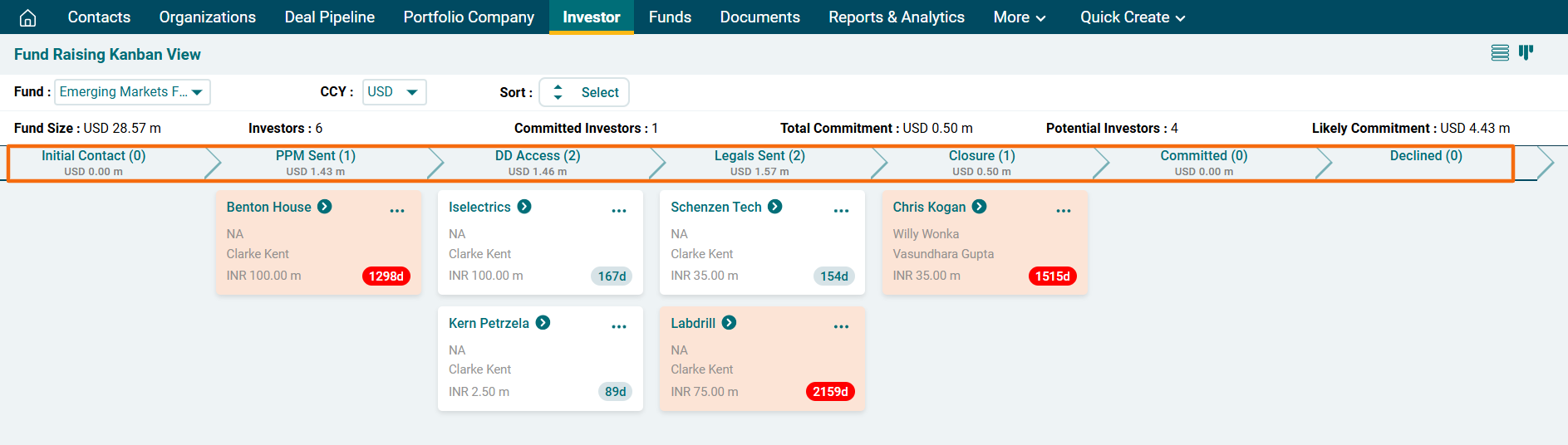
The top horizontal bar shows fund details such as fund name, currency, fund size, number of investors, their total commitment, likely commitment, etc.

The next bar represents various workflow stages along with the number of investors that are currently at that stage and their total size. The investors at a particular stage are listed below each stage.
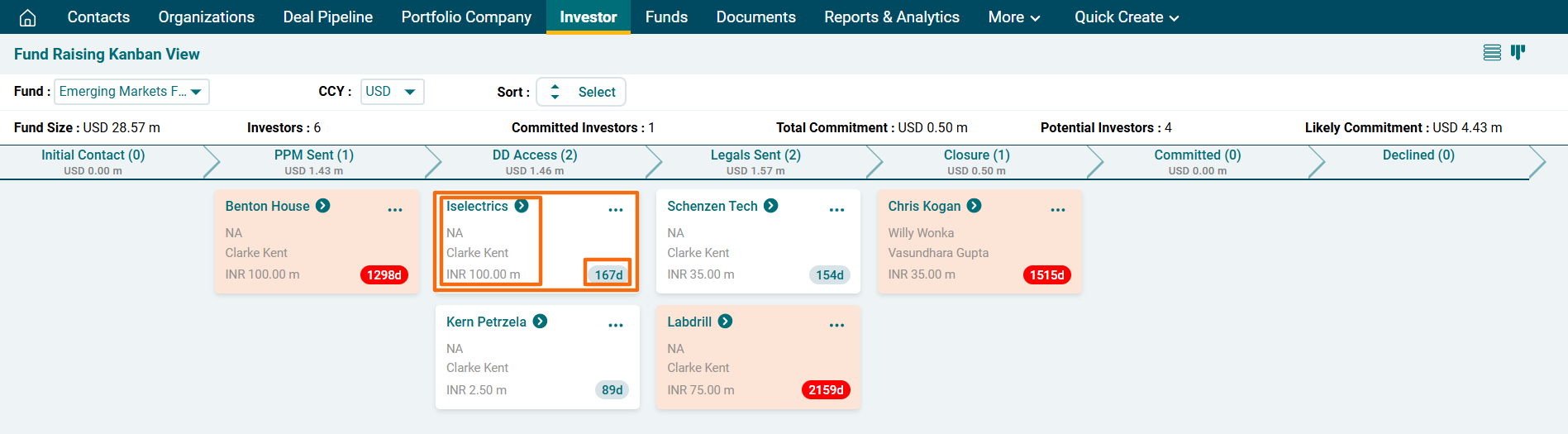
Every investor card displays the following information about the investor:
- Investor Name
- Primary Contact Name
- Investment Relationship Manager Name
- Investor Currency
- Investor Size
A threshold can be defined for number of days of inactivity of an investor under a stage. The number of days in the bottom right corner of the box displays how many days the investor has not been opened. If an investor has not been opened for 300 days, the investor is highlighted in red color.
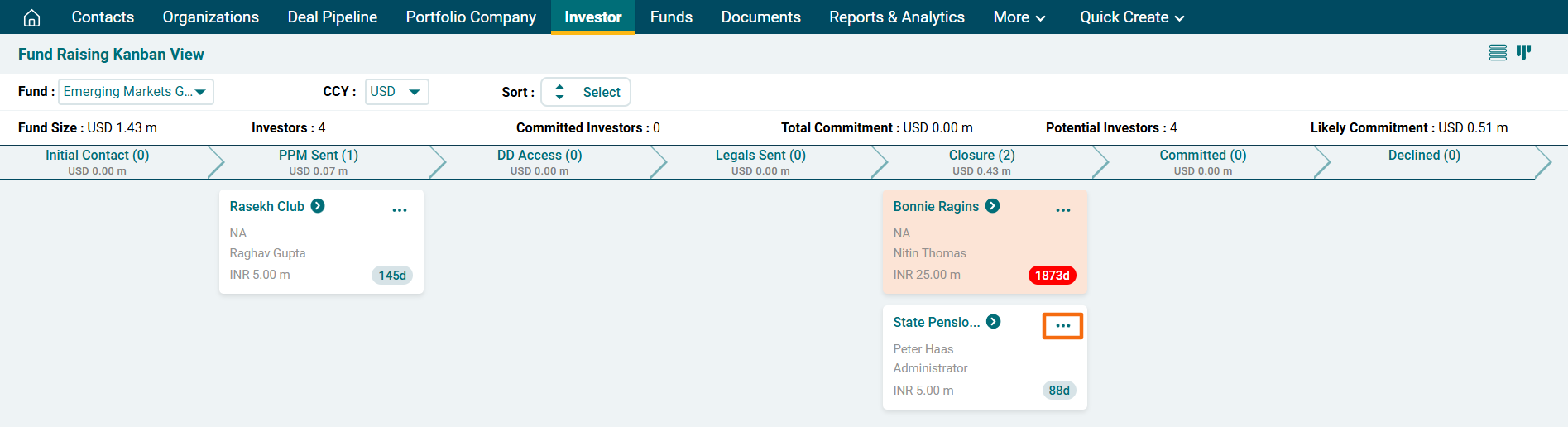
To schedule and view activities for an investor, click on the three dot menu in the top right corner of the box.
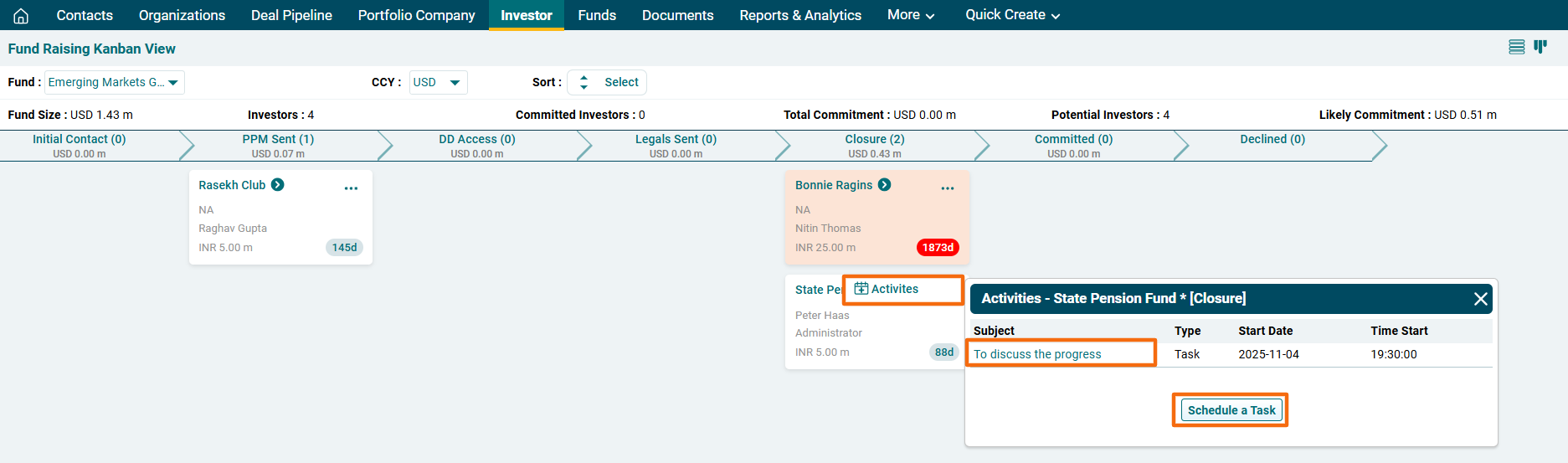
A new window is displayed. You can view any activities created for an investor, i.e., an incomplete task or an upcoming event. Click on Schedule a Task button to create an event or task.