Investor- Access Rights
To give access rights to investors, follow the below steps:
1. Click on Investor Name for which access rights are to be given.

2. Navigate to the Teams tab> LP Teams. Click the Access Rights button in the Actions column.

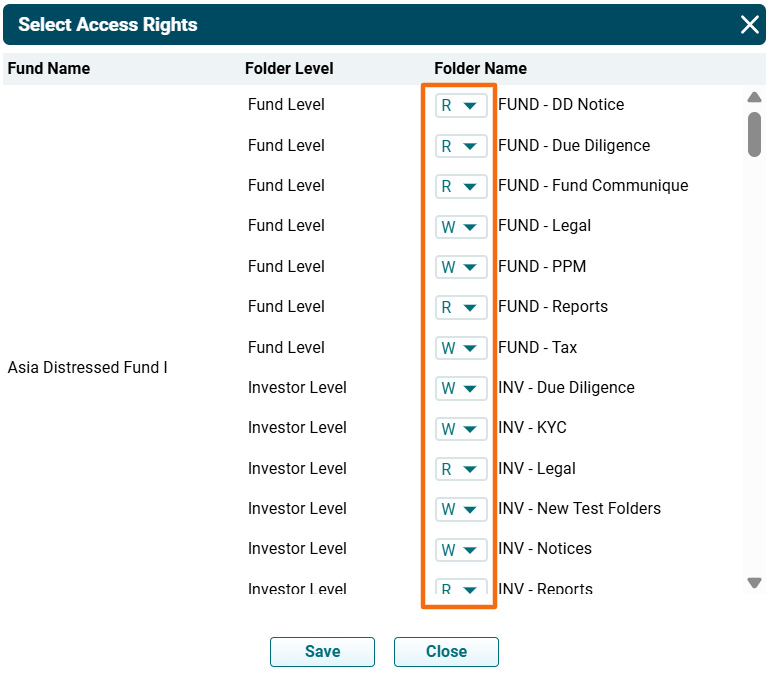
3. The Select Access Rights popup is displayed. You can see the list of all Investor-related folders. Give Read or Write access for various folders at the fund level and investor level to the user.
- R stands for Read i.e. the investor can view or download the documents.
- W stands for Write i.e. the investor can upload the documents to the folder.
4. Click Save. The access rights are updated.