Fund Level Documents
To add Investor-related documents, follow the below steps:
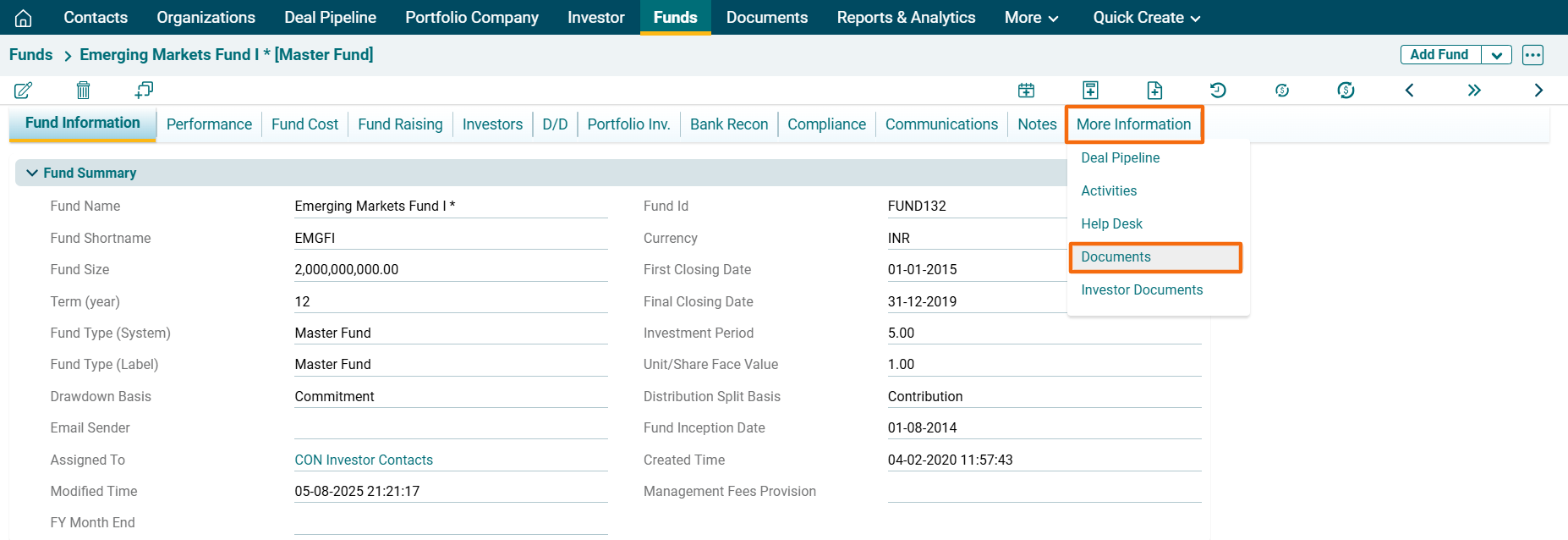
1. Click on Fund Name for which documents are to be uploaded.

2. Navigate to the More Information Tab and Click on Documents.
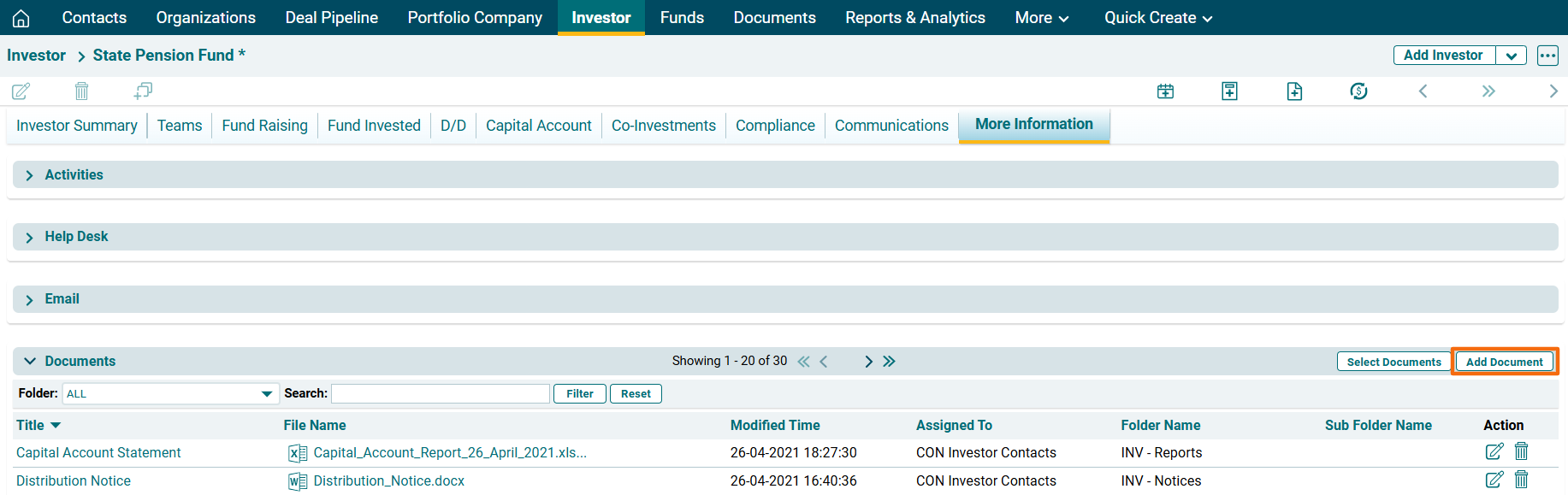
3. In the Documents Panel, click on Add Document button in the top right corner of the panel.
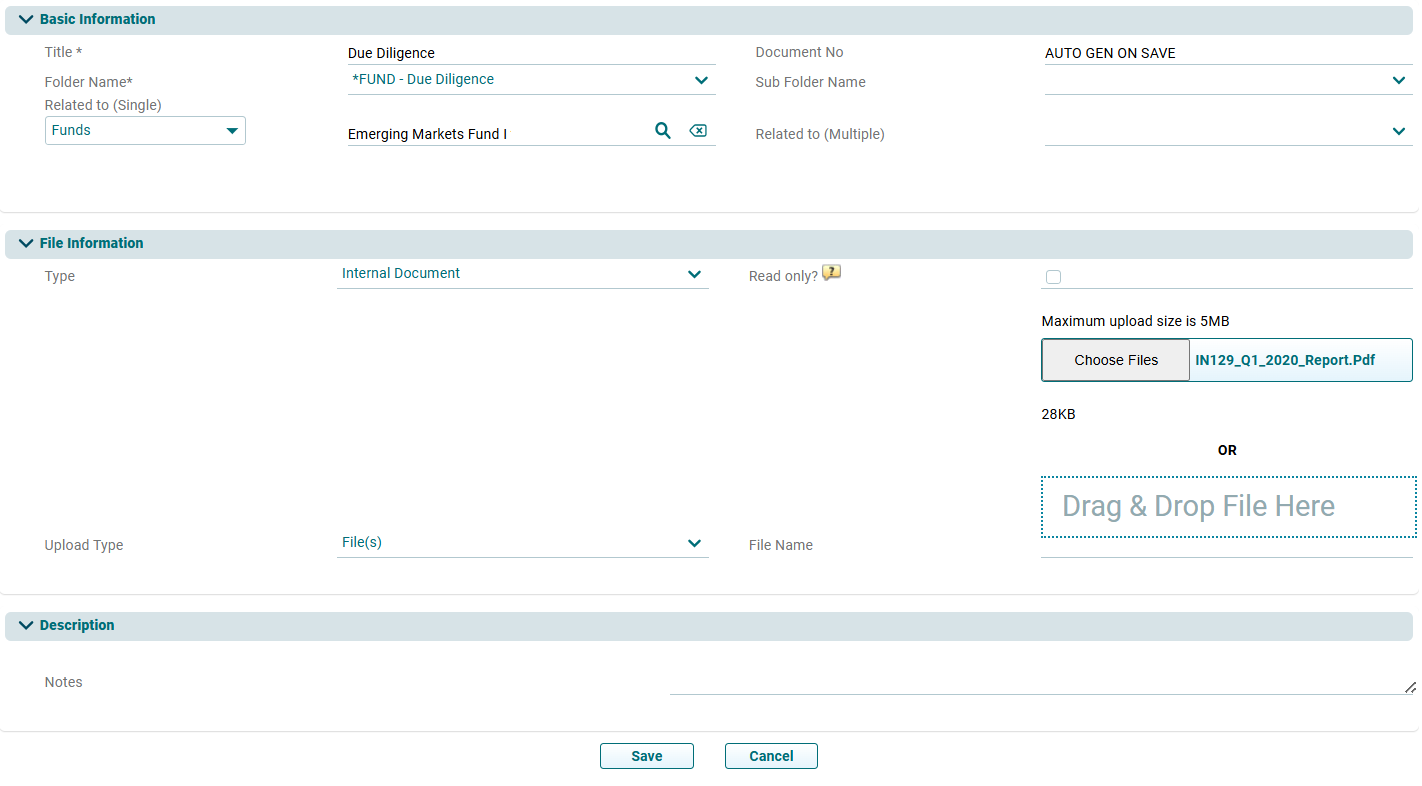
4. The Document Information window is displayed. Update the required details, attach the file and click on Save.
You can also tick the Read Only check box for PDF files to restrict the download of the documents.