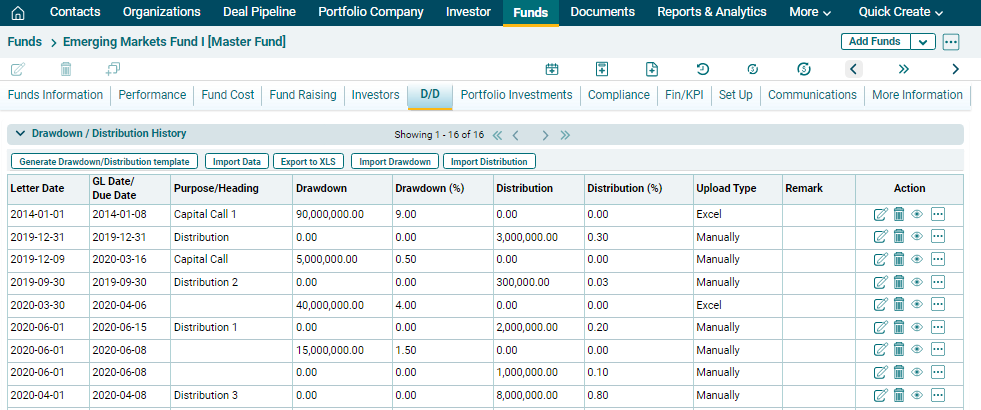
Drawdown/ Distribution Bulk Upload
Import Drawdown
To import Drawdown data, follow the below steps:
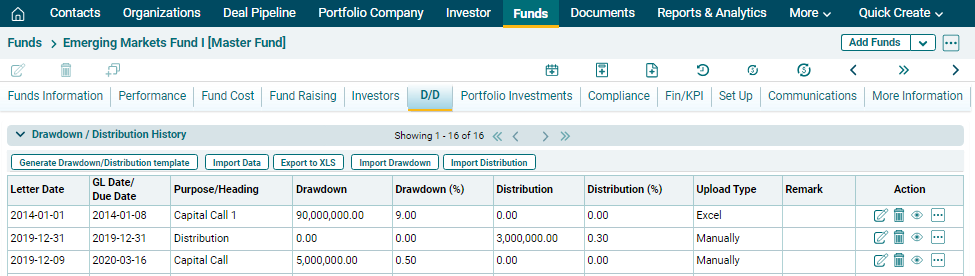
1. Click on Import Drawdown button in the horizontal bar of the panel.
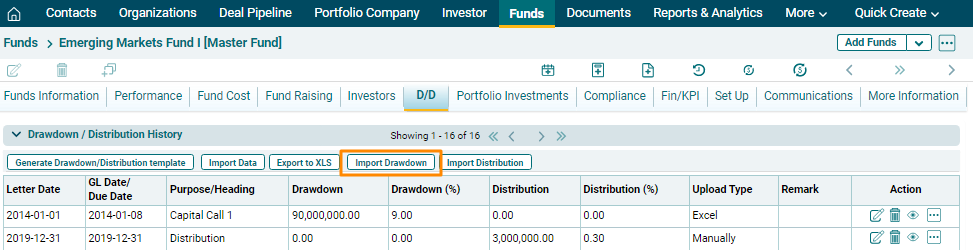
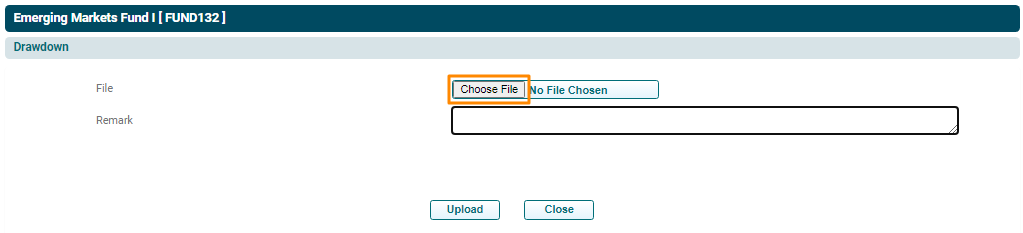
2. The Import Drawdown Template window is displayed. Click on Choose File.
3. Choose the file. Enter remarks if any. Click Upload.
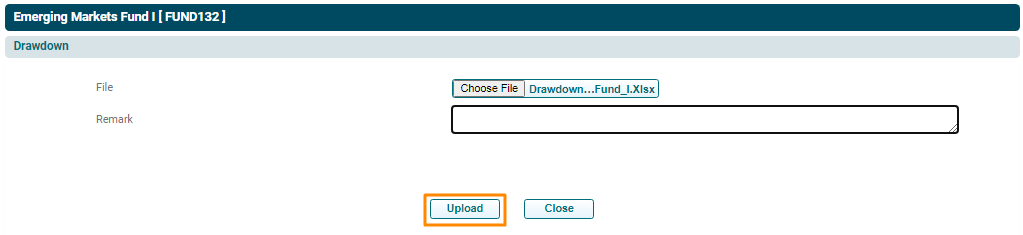
4. The
Drawdown data will populate based on the uploaded file.
Import Distribution
To import Drawdown data, follow the below steps:
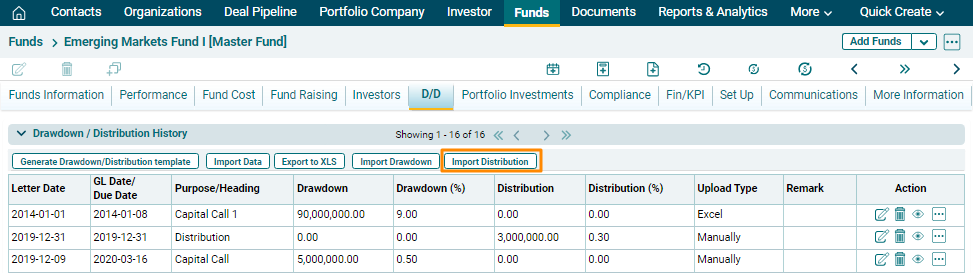
1. Click on Import Distribution button in the horizontal bar of the panel.
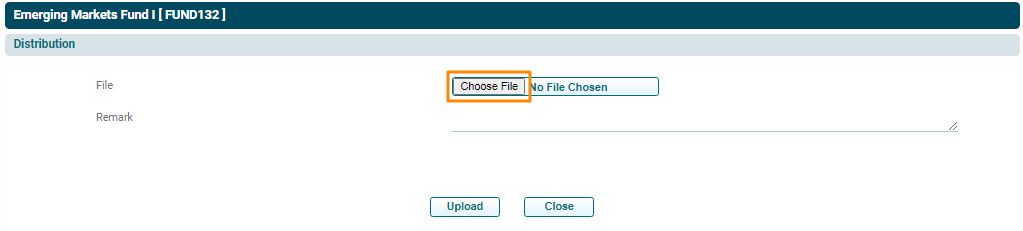
2. The Import Distribution Template window is displayed. Click on Choose File.
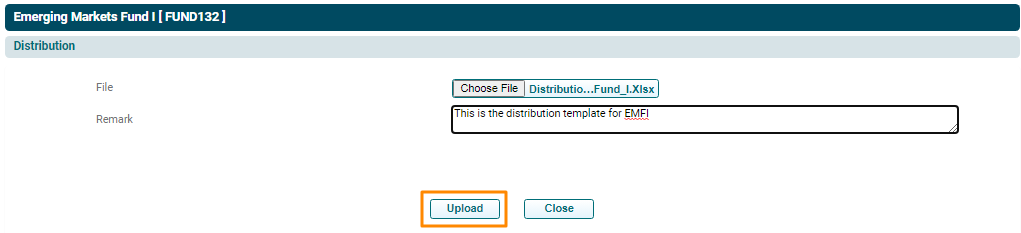
3. Choose the file. Enter remarks if any. Click Upload.
4. The Distribution data will populate based on the uploaded file.