
Valuation Summary
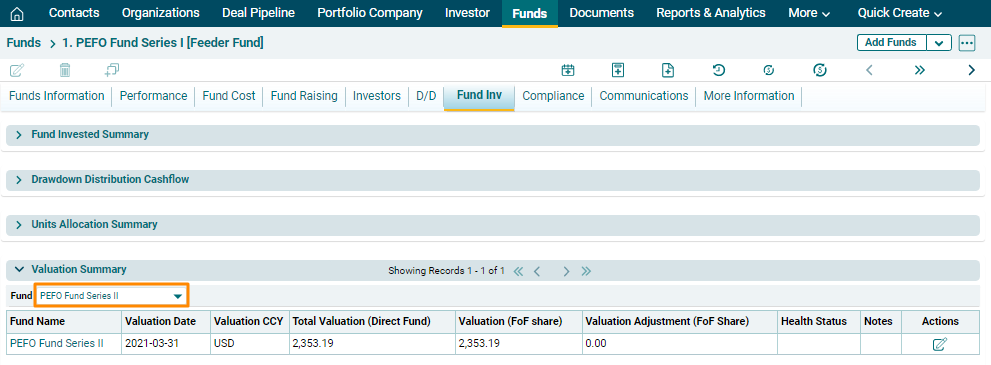
Valuation Summary panel allows you to view the valuation summary of funds in which investments have been made. The details included are:
- Fund Name: Displays the fund name.
- Valuation date: Displays the valuation date of the fund.
- Valuation: Displays the valuation currency.
- Total Valuation (Direct Fund): Displays the total valuation of investment in the direct fund.
- Valuation (FoF Share): Displays the valuation of investment in Fund of Funds.
- Valuation Adjustment (FoF Share): Displays the adjusted value of the FoF valuation.
- Health Status: Choose whether the
valuation is Above Plan, Below Plan, or On Plan.
- Notes: Displays notes, if any.
To view valuation details of a fund, click on the Fund dropdown list, and select a Fund.
To edit the valuation details of a fund,
click on the Edit icon ( )in the Actions Column. Update the details and click on
Check (
)in the Actions Column. Update the details and click on
Check ( ) button to save.