Fund Investment Summary
Fund Investment Summary panel allows you to capture investments made in various funds. This panel is applicable to Feeder Fund, Fund SPV, and Fund of Funds. The details included are:
- Fund Name: Displays the name of the fund.
- Fund Type: Displays the fund type. This is an auto-populated field.
- Fund CCY: Displays the fund currency. This is an auto-populated field.
- Total Committed (INR): Displays the total amount committed in the fund.
- Contribution Amount (INR): Displays the amount of contribution in the fund. This is an auto-calculated field.
- Balance Committed (INR): Displays the balance amount that investor is yet to commit. This is an auto- calculated field.
- Total Realization (INR): Displays the total realization from the fund. This is an auto- calculated field.
- Valuation Date: Displays the valuation date of the fund.
- Current Valuation(INR): Displays the current valuation of the fund. This is an auto- calculated field.
To modify a fund, follow the below steps:
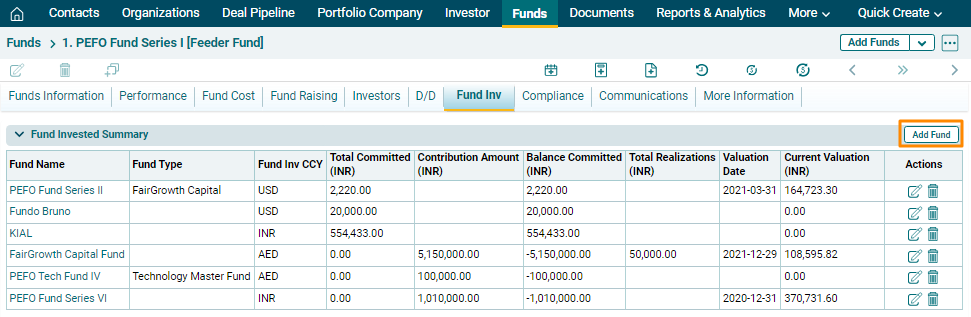
1. Click on Add Fund button in the top right corner of the panel.
2. Update the details and click on the Check button to save the details.
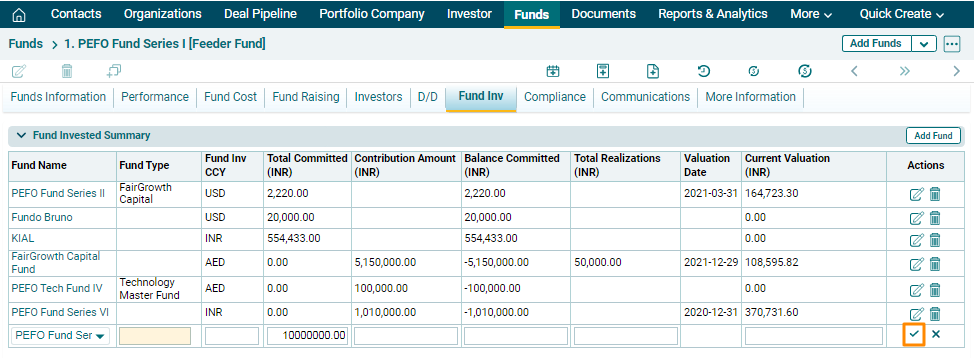
3. To edit fund invested
details, click on the Edit icon ( ) in the Actions column.
Update the details and click on Check (
) in the Actions column.
Update the details and click on Check ( ) button to save.
4. To delete fund
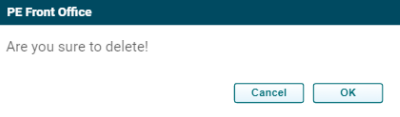
invested details, click on the Delete icon ( ) in the Actions column. The delete
window is displayed. Click OK to delete the fund invested
details.
) in the Actions column. The delete
window is displayed. Click OK to delete the fund invested
details.