
Drawdown Distribution Notice Template
Drawdown Distribution Notice Template panel allows you to create different drawdown and distribution notice templates that can be sent out to investors via mail merge email comunication tool.
To modify a template, follow the below steps:
1. Click on Add button on the top right corner of the panel.
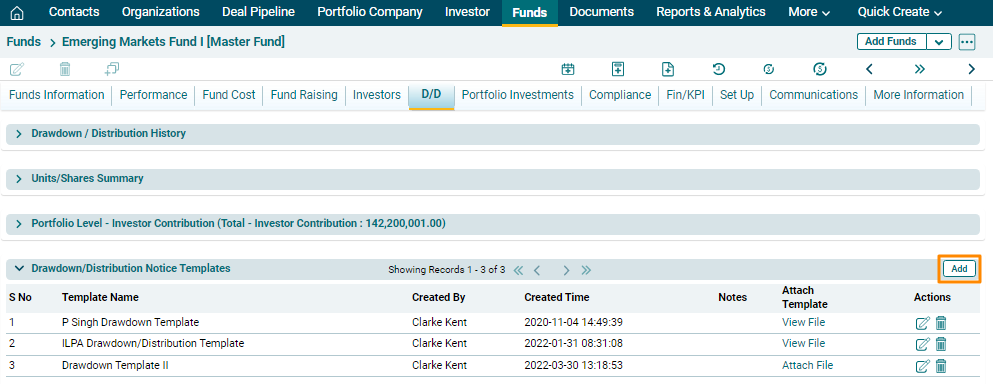
2. The fields will be activated. Enter the template name and
add notes, if any. Click on Check( ) button to save the details.
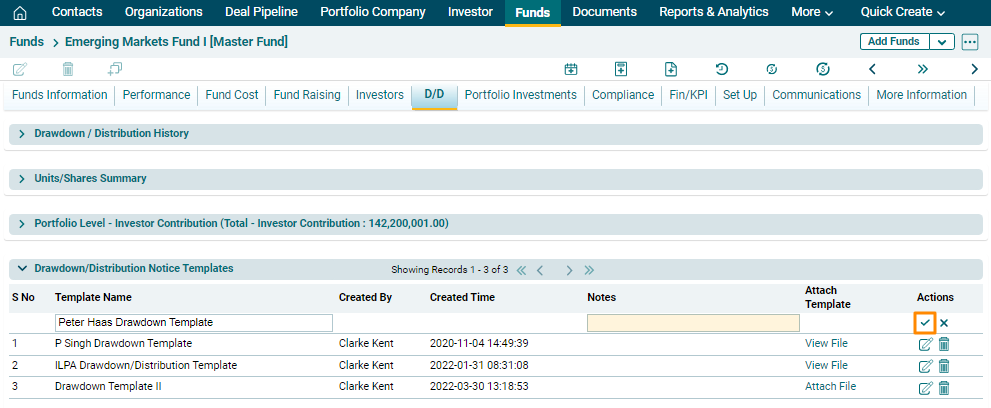
3. To edit Drawdown
Distribution Notice Template, click on the Edit icon ( ) in the Actions
column. Update the details and click on Check (
) in the Actions
column. Update the details and click on Check ( ) button
to save.
) button
to save.
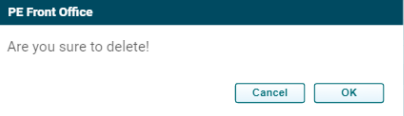
4. To delete Drawdown
Distribution Notice Template, click on the Delete icon ( ) in the Actions
column. The delete window is displayed. Click OK to delete the
fund cost details.
) in the Actions
column. The delete window is displayed. Click OK to delete the
fund cost details.
Attach File
To attach the template, follow the below steps:
1. Click on Attach File.
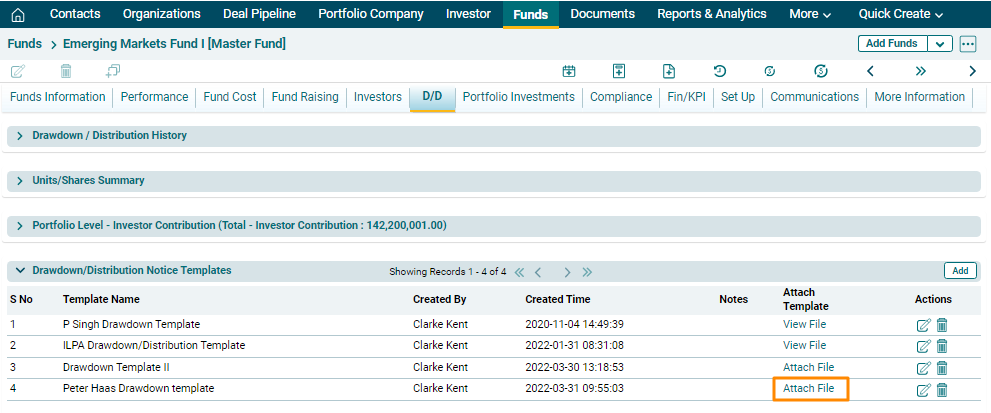
2. The Attach File For Templates Window is displayed. Click on Choose File.

3. Choose the file. Click Save.
