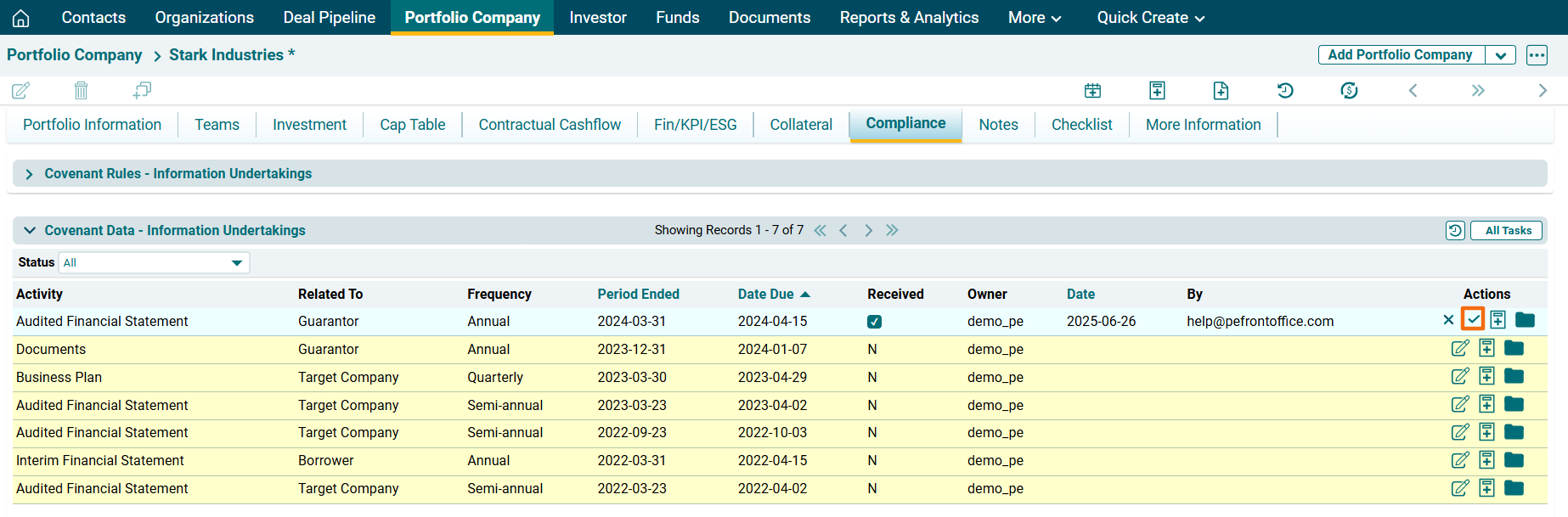
Information Undertaking - Covenant Data
Once the rule has been defined for an item in the Compliance Rules, the Compliance Data panel allows you to capture the required documentation associated with the compliance rule.
To access a file, follow the below steps:
1. Click on Document ( ) icon in the Actions column.
2. You will be redirected to Documents panel in the More Information Tab.
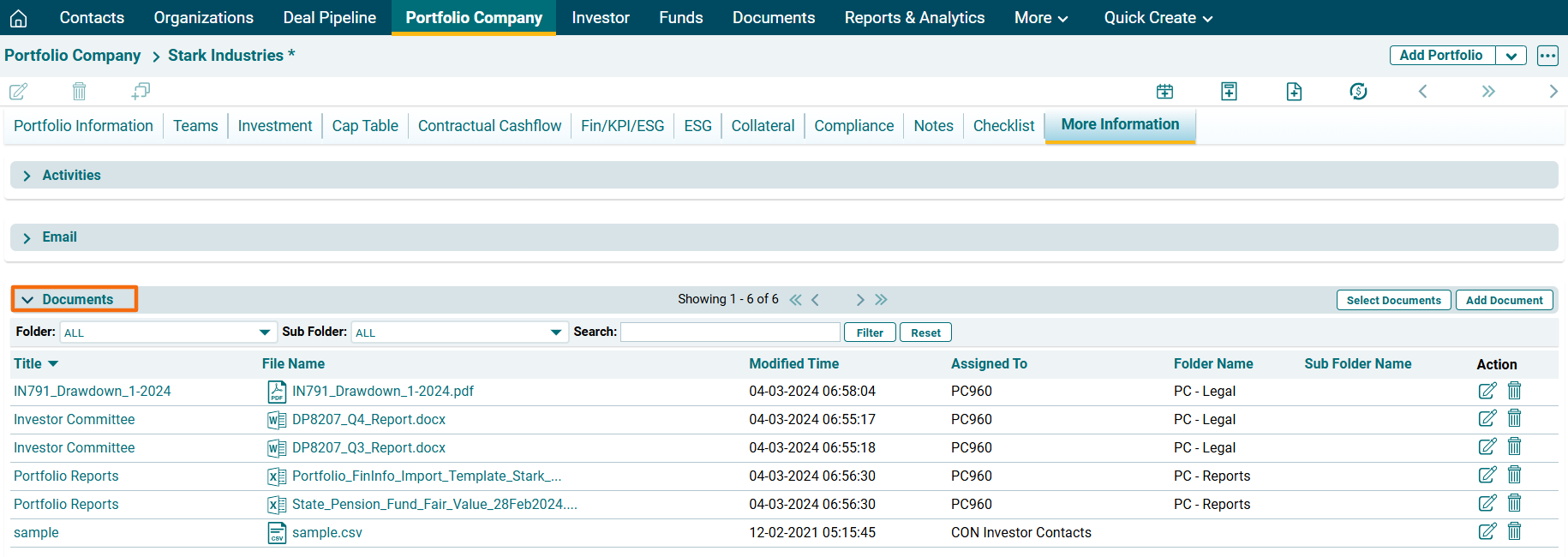
4. Click on Edit ( ) icon in the Action column. Update the details and click on Check (
 ) button to save.
Add Task
To add a task to an activity, follow the steps below:
1. Click on Add Task ( ) icon in the Actions column.
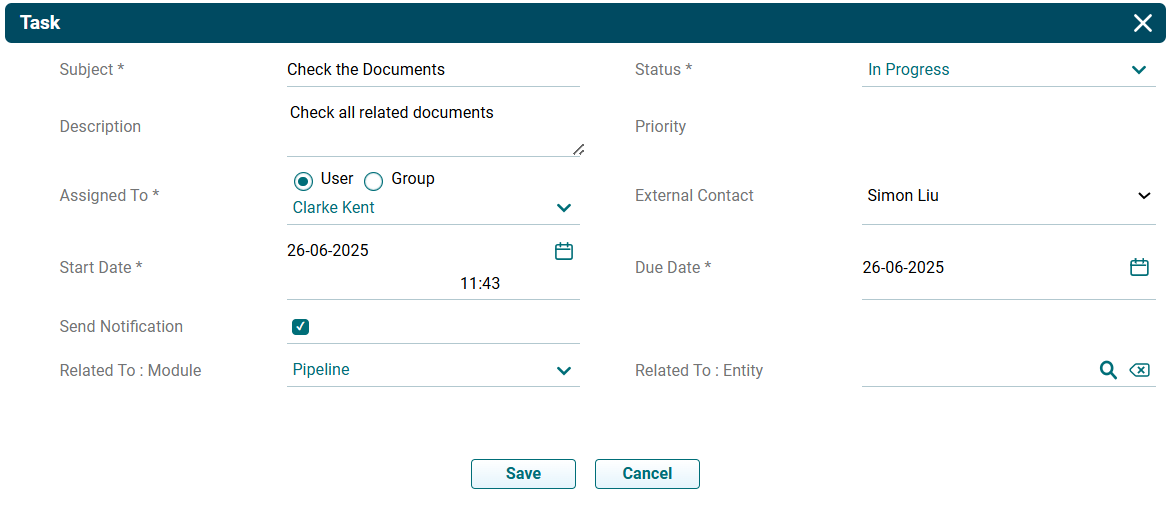
2. The Task window is displayed. The details included are:
- Subject: Input the subject of the task.
- Status: Select the status of the task if it has started, is in progress, completed, planned, etc.
- Description: Specify the description of the task.
- Priority: Select the priority of the task if it is a high-priority, low-priority or medium-priority task.
- Assigned To: Task gets assigned to the user automatically.
- External Contact: Select the external contact from the Dropdown list.
- Start Date: Specify the start date.
- Due Date: Specify the due date.
- Send Notification: Check the box if you wish to send a notification to the team.
- Related To: Module: Select the module to which the task is applicable.
- Related To: Entity: Select the entity to which the task is applicable.
3. Click Save.