Guarantor Details
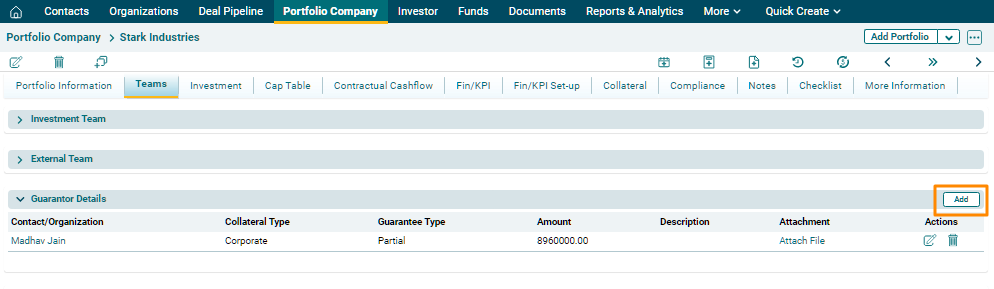
Guarantor Details panel captures details of the guarantors associated with the portfolio company. The details included are:
- Contact/Organization: Name of the contact or organization
- Collateral Type: Select Personal or Organization Collateral type
- Guarantee Type: Select Partial or Complete Guarantee type
- Amount: Input guaranteed amount
- Description: Description of the guarantee, if any
To modify guarantor details, follow the below steps:
1. Click on the Add button in the top right corner.
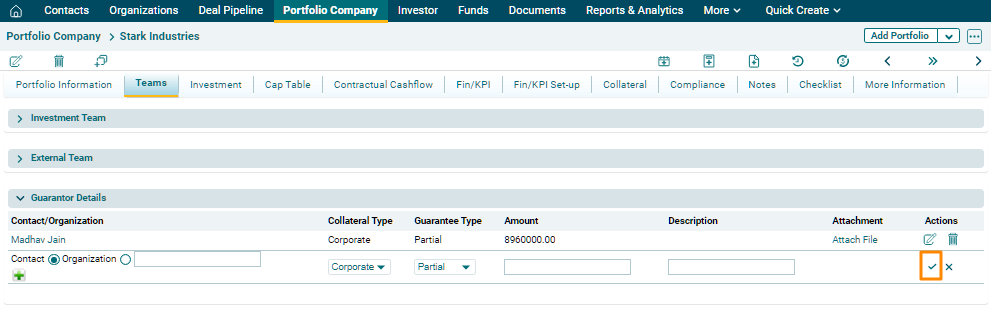
2. Update the details, and click the Check button from Actions column to save.
3. To edit a
team member’s details, click on the Edit
( )icon in the Actions column. Update the details and click on Check
(
)icon in the Actions column. Update the details and click on Check
( ) button to save.
4. To delete
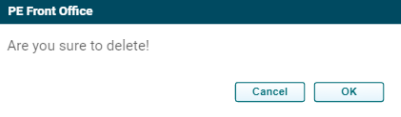
a team member’s details, click on the Delete ( ) icon in the Actions column. The
delete window is displayed. Click OK
to delete the member details.
) icon in the Actions column. The
delete window is displayed. Click OK
to delete the member details.