Preliminary Screening
To complete the preliminary screening, follow the below steps:
1. Clink on the instance login link.
2. Navigate to the Preliminary Screening tab.

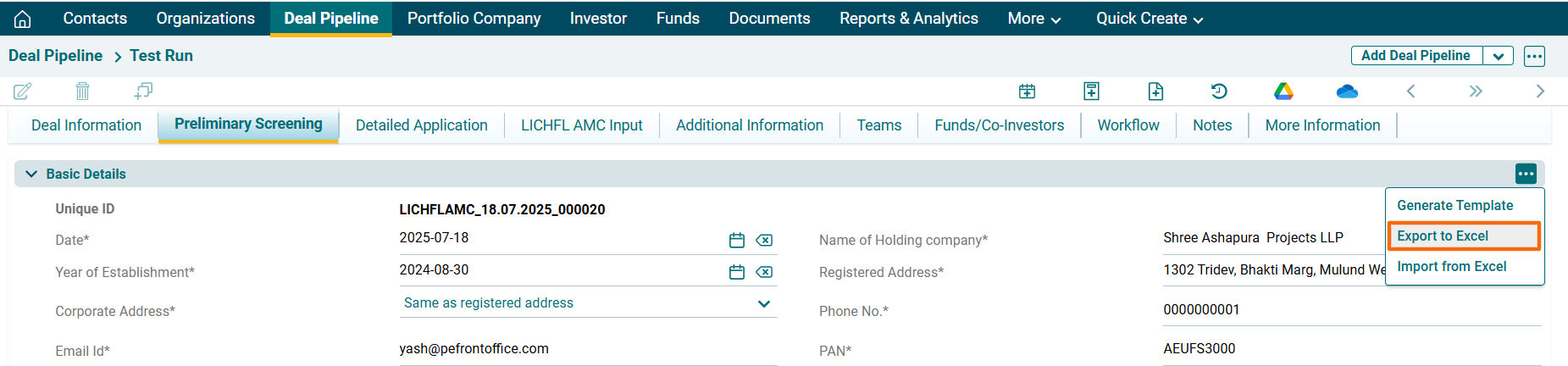
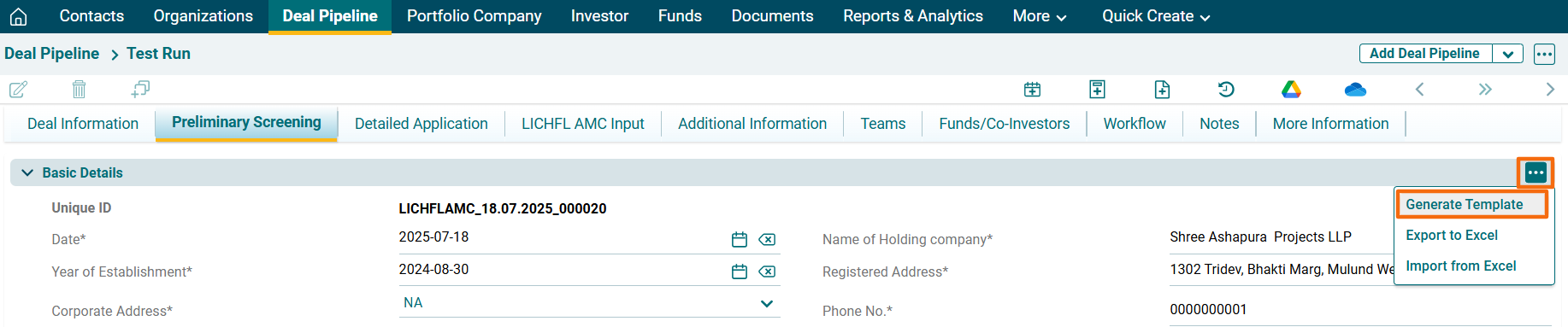
3. Click on the three dot menu in the top right corner of the panel. Click on Generate Template. The excel file will download.
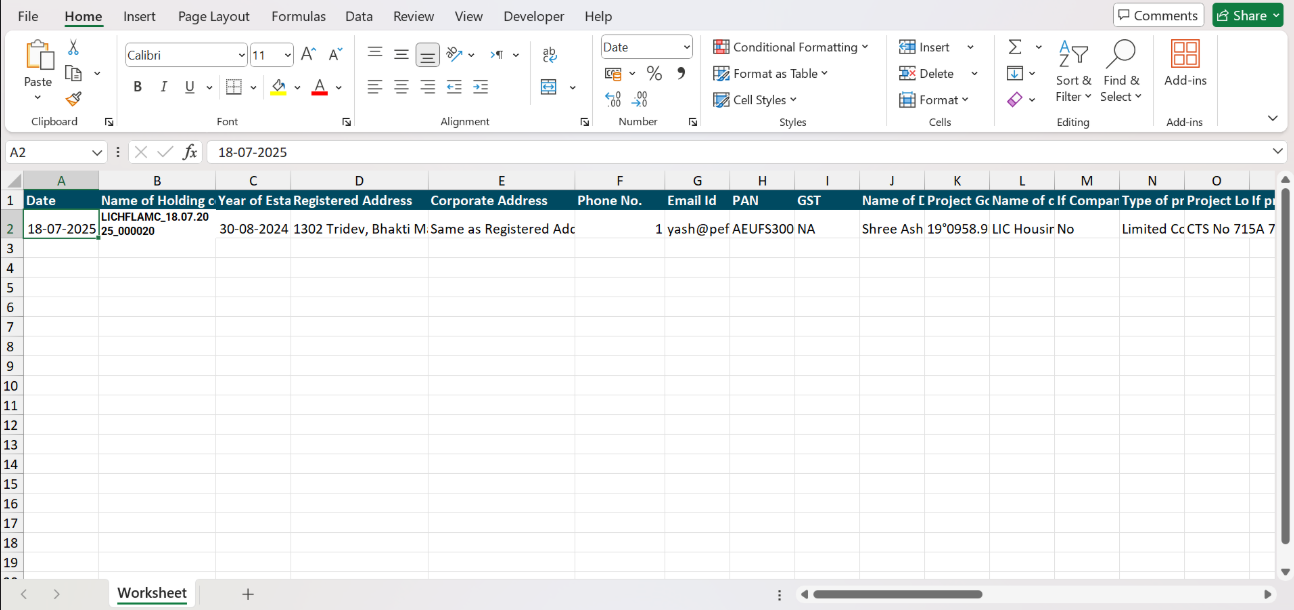
4. Update the file and save it.
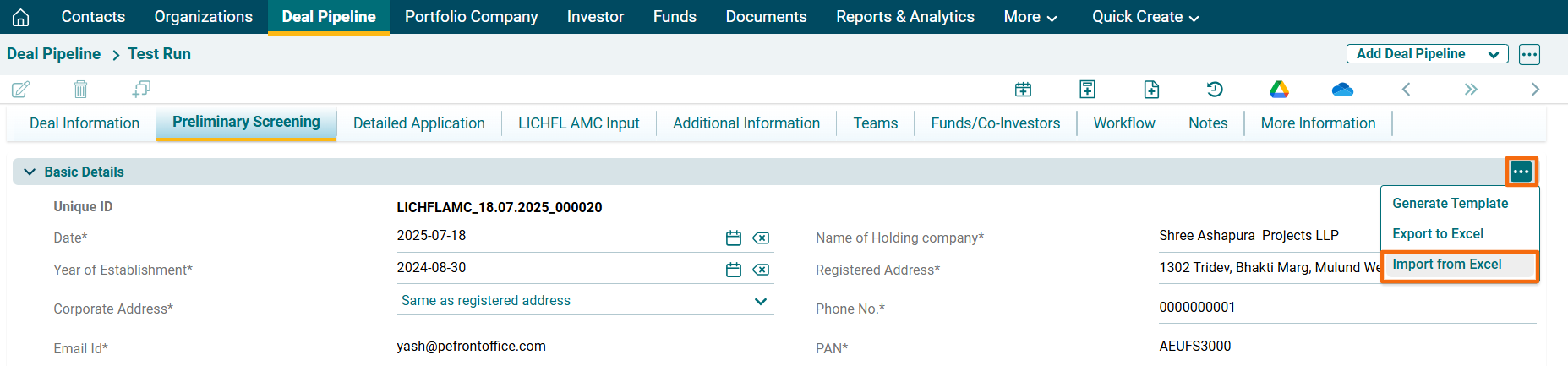
5.. Click on the three dot menu in the top right corner of the panel. Click on Import from Excel.
6. The Import Preliminary Screening Data window is displayed. Click Choose File button.

7. Choose the file. Click Upload.

8. The data will be populated in the tab.
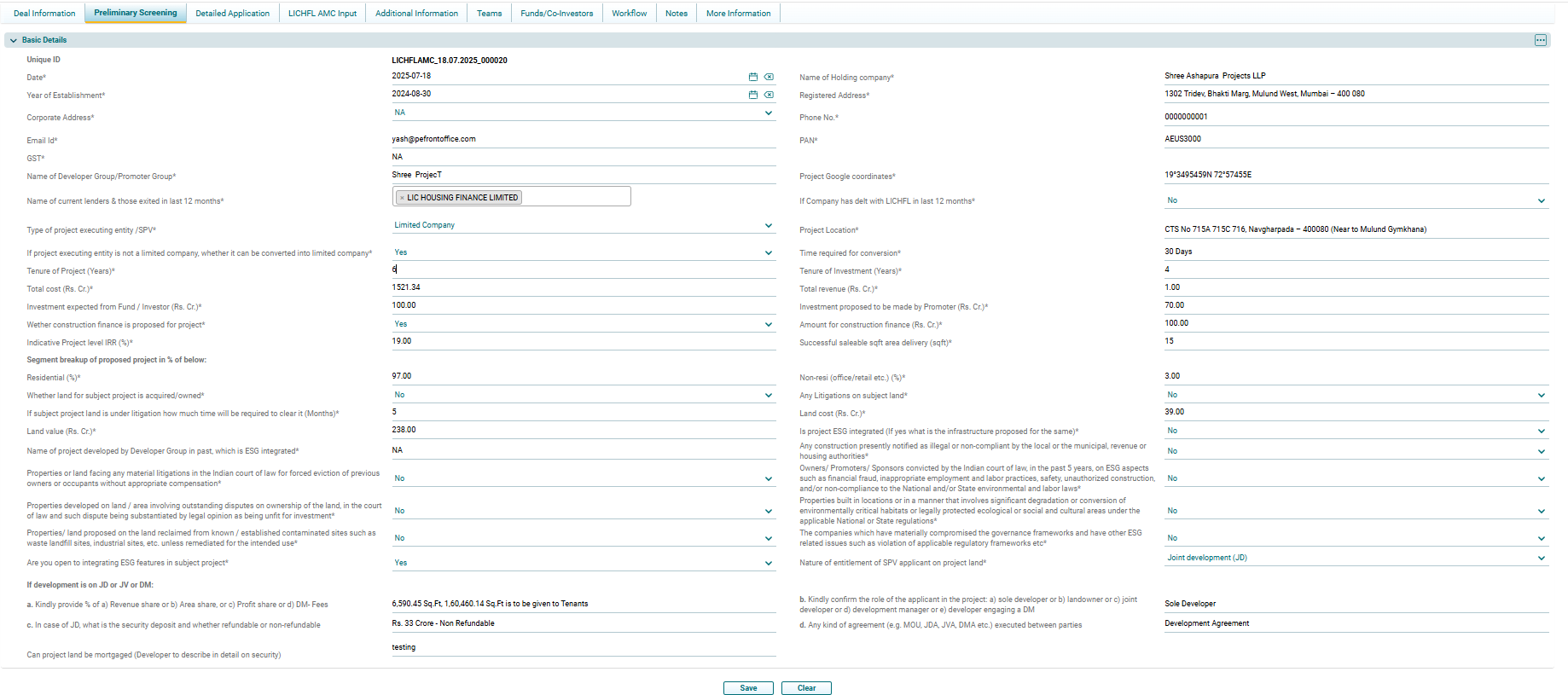
8. To export preliminary screening data in Excel format, click on the three dot menu in the top right corner of the panel. Click on Export to Excel. The excel file will download.