
Creating An Event
Create an Event and send calendar invites for calls or meetings to your internal team members or external contacts in their respective mailboxes. To create an event, follow the below steps:
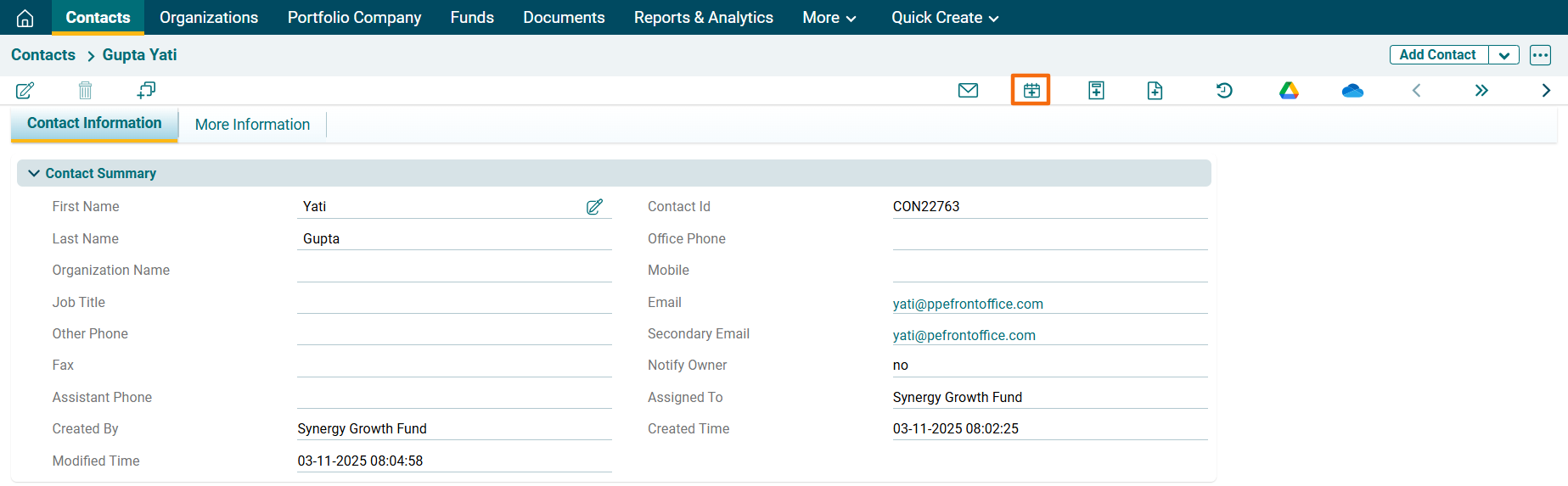
1. Click on a Contact for which event has to be created.

2. Click on the Add Event icon above the tabs.
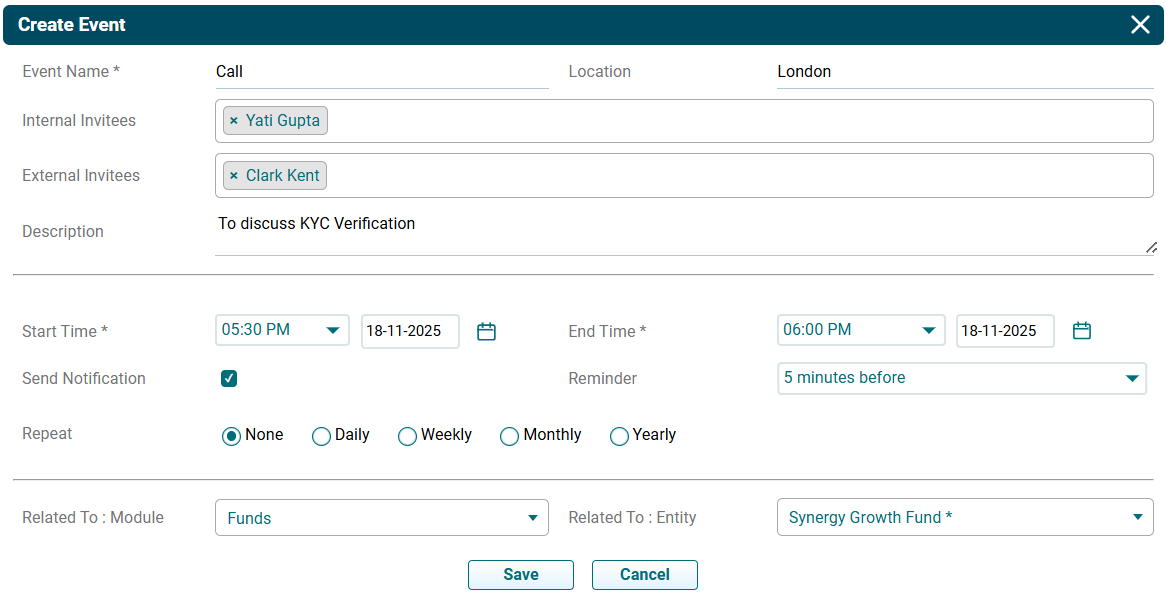
3. The Create Event window is displayed. Specify the following details:
- Event Name: Name of the event
- Location: Location of the event
- Internal Invitees: Select the internal invitees.
- External Invitees: Select the external invitees.
- Description: Description of the event
- Send Notification: Check the checkbox if notifications are to be sent.
- Start Time: Select the start time and date.
- End Time: Select the End time and date.
- Send Notification: Check the box if reminder notifications are to be sent to the team members
- Reminder: Choose the time of sending a second reminder
- Repeat- Check the box to repeat the reminder
- Repeat once in every: Set the frequency of reminders
- Related To: Event gets related to the contact automatically
4. Click on Save.
5. The Event will be listed in the Activities Panel under the More Information Tab. Click on the Edit or Delete icons to make changes.
